PHOTO TO REACTION VIDEO
Hit the Road Dude AI video generator
One photo. A skeptical stare. One unforgettable send-off. Put your character in the pickup and make the last word yours.
 Hit the Road Dude⇄
Start with one clear portrait or pet photo. Review your scene and credit cost in the editor before generating.
Do not upload sensitive images. Privacy Policy
Make my reaction videoINSIDE THE SCENE
Four details that make the reaction land
Explore the character, pause, punchline and framing in the selected reference. These are close-ups and moments from one clip, with ideas for directing your own version.
01 / THE CHARACTER
A pet with a very human attitude
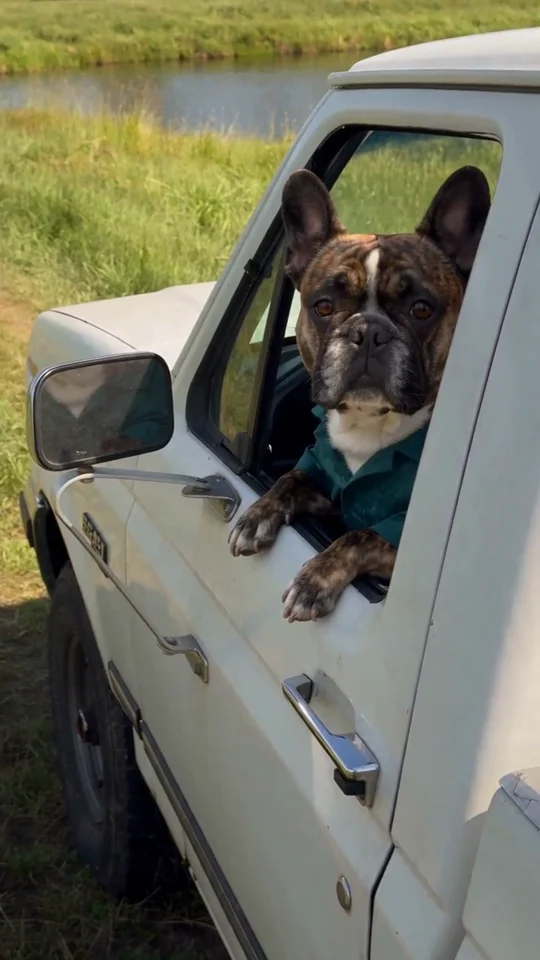
The face gets the first laugh. In this reference, an ordinary bulldog becomes the driver who has heard enough. Your starting photo supplies the character direction; the prompt supplies the pickup, the open window and the encounter. You can use a pet or an adult who has agreed to appear. A clear face matters more than finding a photo already inside a vehicle.
- Choose one subject with visible eyes and recognisable facial details.
- For pets, keep distinctive ears and markings in the photo.
- Avoid collages, covered faces and distant group shots.
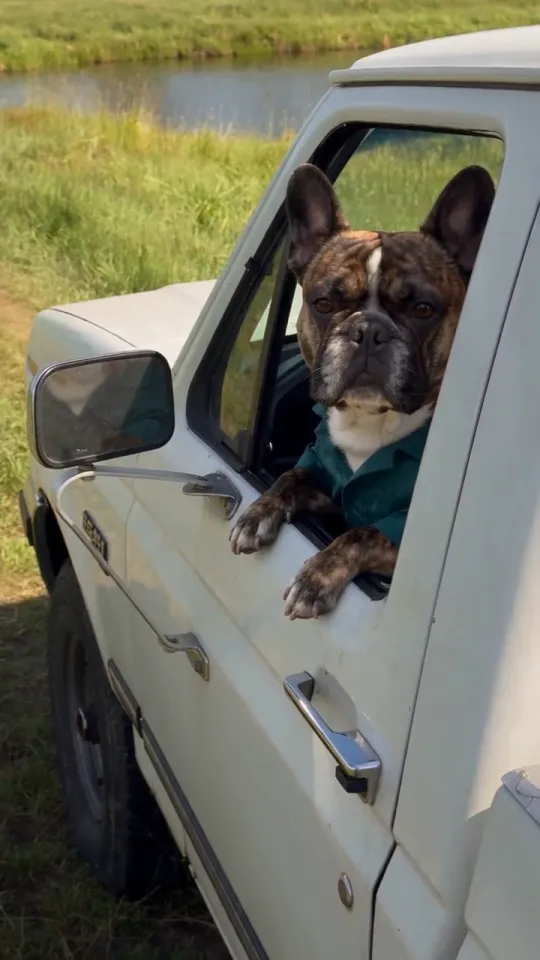 The whole scene
02 / THE PAUSE
Let the look come before the line
A reaction needs a little silence around it. The driver notices someone, holds their gaze and then answers. Writing three short beats gives the scene a clear direction without asking for a chase, a camera spin and a costume change at once. The template starts with a single parked-pickup shot so the expression stays at the centre of the joke.
- Keep the camera at window height.
- Ask for a small head tilt or one skeptical glance.
- Leave room for the final gesture instead of filling every second.
00:01 · Notice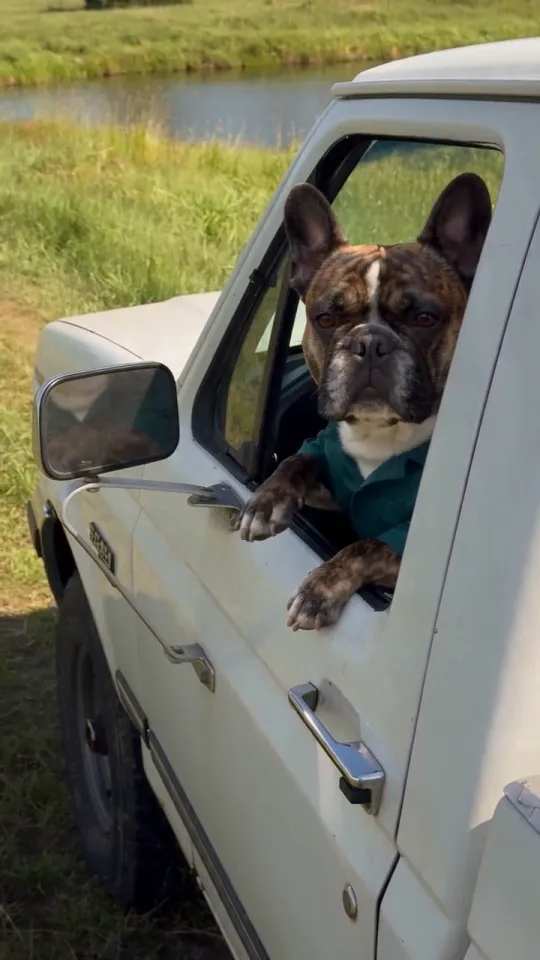 00:06 · Hold the look
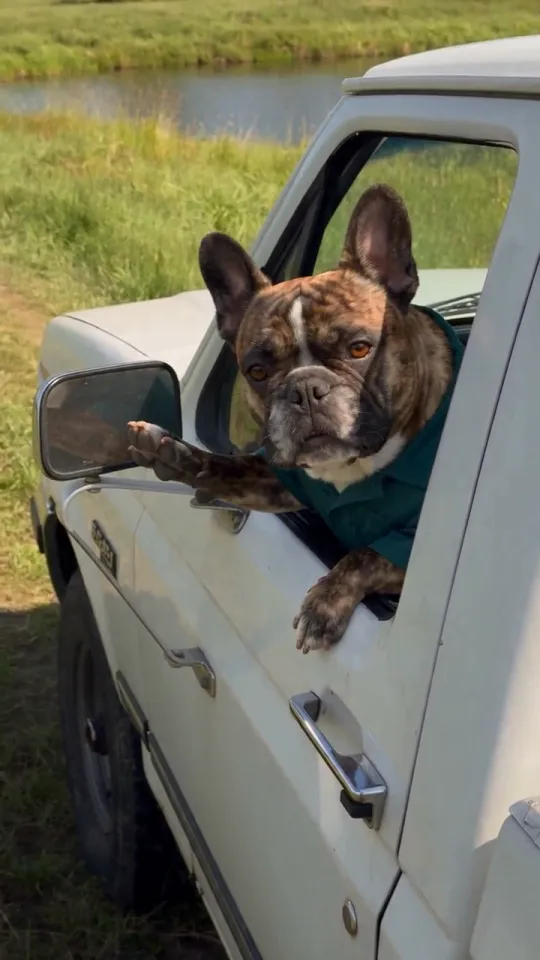 00:10 · Answer
03 / THE SEND-OFF
Give your character their own last word
A short reply is easier to follow than a whole conversation. Try a tired commuter, a territorial pet or a camper defending a quiet afternoon. Change the line in the editor while keeping the rest of the scene simple. Wan 3.0 can generate sound with the video; the reference recording is not added to your output, and the exact words, voice and mouth movement can differ from your direction.
- Use one short sentence for the reply.
- Describe an original voice rather than asking to copy the movie speaker.
- Turn sound off if you plan to add your own audio after download.
“This parking spot is taken. Keep rolling.”One sentence.
One small gesture.
04 / THE FRAME
Keep the face and the farewell in view
The open window does two jobs: it frames the expression and leaves space for a hand or paw. The 9:16 preset keeps that relationship visible in a vertical post. Leave some space above the head and beside the gesture, and avoid placing essential action against the very bottom edge where social-app controls can cover it. Choose a different ratio in the editor if your destination needs a wider frame.
- Start at 720p for the prepared vertical version.
- Review the entire clip, including the final hand or paw movement.
- Add captions in your publishing app after checking the picture and sound.
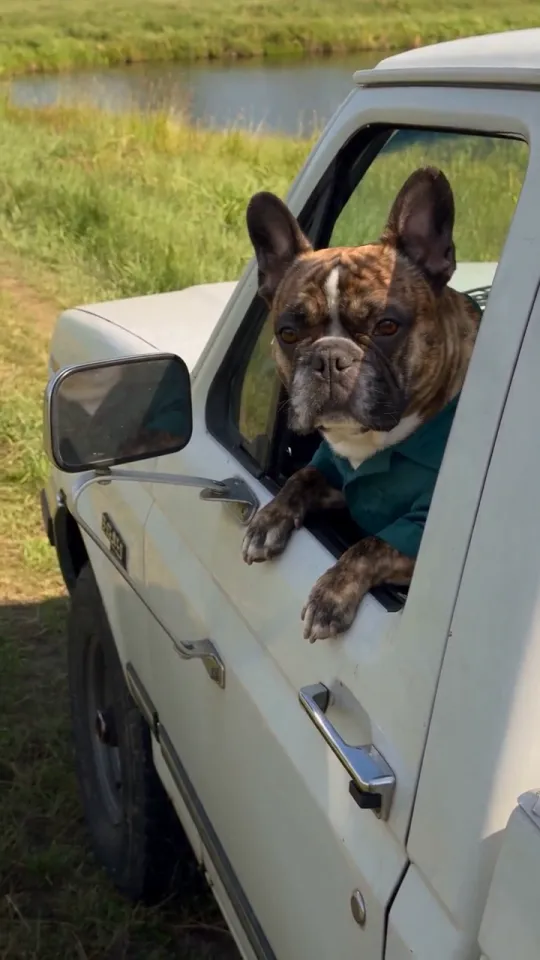 Full frame · 9:16
fill the frame.Face clear.
Gesture visible.
Room to breathe.
MADE TO BE CUSTOMIZED
The scene is prepared. The creative choices are yours.
One photo, a prepared setting
The single reference supplies the character direction. You do not need a second photo of a pickup or a pre-edited group image.
Your line, your delivery
The prompt contains editable dialogue and an original voice direction. Native generated sound is enabled; wording, pronunciation and lip movement can vary.
A vertical starting point
The preset starts at 9:16, 15 seconds and 720p. Supported export settings remain adjustable in the editor, with the credit quote updated before generation.
A draft you can return to
Your recent template draft stays in the same browser tab. Returning from the editor preserves your changes; expired source files need to be uploaded again.
YOUR SCENE, YOUR DIRECTION
A reaction template, with room for your own joke
Hit the Road Dude is built around a familiar exchange: someone approaches, the driver sizes them up, and the conversation ends quickly. Rendastic starts with that rhythm rather than a blank prompt. Your photo guides a newly generated character and the editable scene describes what happens next. You are directing a fresh pickup encounter, not inserting a face into the original State Property footage.
Customize this sceneThree directions to try
- The driveway guardian: a pet gives an unexpected visitor one unimpressed look.
- The off-duty driver: a tired character just wants a quiet lunch break.
- The campsite gatekeeper: a fictional camper points an unwanted guest back to the road.
FROM PHOTO TO FINISHED TAKE
Make your pickup reaction in three steps
Add your character
Upload one JPG, PNG or WebP image, up to 10 MB. Use a photo you are allowed to process. The page keeps it with this template while you open the editor.
Review the scene and quote
The editor opens with the pickup prompt, one reference photo, vertical framing and generated sound enabled. Edit the final line or setting, review the current credit quote and confirm your input permissions before starting.
Watch the whole take
Check the face, hand or paw, final gesture and sound before sharing. Download the completed clip from your work area. If you want another take, adjust the prompt and review its new generation cost.
FIND YOUR WAY TO THE MEME
Hit the Road Dude AI: Rendastic vs Higgsfield vs Runway
Start with a character photo, bring an existing performance, or direct a shot from scratch. Here is how three specific workflows compare for making a pickup reaction video.
Swipe or scroll sideways to compare all tools
| Your decision | RendasticHit the Road Dude templateThis template | HiggsfieldGenjutsu Motion Transfer | RunwayGen-4.5 Image to Video |
|---|---|---|---|
| What you bring | One portrait or pet photo | One 4–30s video; reference photos optional | A starting-frame image and motion prompt |
| Scene preparation | Pickup, pause and send-off already written; personalize the line | Choose a transformation preset; short description optional | Write the action, timing and camera direction |
| Source video required | No — start from your photo | Yes — motion comes from your clip | No — start from your image |
| How motion is created | New reaction guided by the prepared scene prompt | Movement transferred from the source clip | New movement directed by your prompt |
| Length and resolution | 15s · 720p · 9:16 preset | 4–30s source clip; output up to 1080p | 2–10s · 720p; vertical supported |
| Generation credits | 325 Rendastic credits · 15s / 720p | 104 Higgsfield credits · 15s / 720p | 120 Runway credits · 10s / 720p |
This compares the named workflows, not every feature on each platform. Credit units differ between services and are not dollar equivalents. This Rendastic preset uses paid credits; your final quote appears in the editor. Competitor prices may change.
Sources checked : Higgsfield Genjutsu guide Runway Gen-4.5 specifications Runway image-to-video guide
Choose Rendastic when you want the pickup scene ready to go: add your character, personalize the line and open the prepared editor.
Make my reaction videoABOUT THIS CREATION
Creation, rights and permissions
Make the scene yours. Use photos you have permission to process and share the result responsibly.
- Rendastic creates a new pickup reaction from your photo and scene prompt. This workflow does not add the original State Property footage or soundtrack, or paste a face into a film clip.
- Use a photo of yourself, another adult who has agreed to appear, or a pet photo you have permission to use. Do not upload photos of minors or use someone’s likeness without their permission.
- Rendastic is an independent creation tool, with no affiliation with or endorsement from State Property or its rights holders. Film and meme names identify the creative reference; they do not grant permission to reuse protected material.
- Share the result as an AI-created fictional scene. Do not present it as a real event, an authentic recording of someone or their endorsement, and do not use it to harass or mislead. Make sure you have the necessary permissions for your uploads and how you use the video.
BEFORE YOU UPLOAD
Know what happens to your photo
Choose a photo you can use
Use your own image, an image you have permission to process or a fictional character you control. Avoid sensitive photos and do not imply that a real person actually performed the generated scene.
Your recent draft travels with you
After upload, this page carries the photo into the editor. Returning in the same tab preserves the recent template draft. Local source copies are deleted after processing or within one hour; expired files must be uploaded again.
Processing has a separate retention period
When you generate, references sent to APIMODELS may remain at publicly accessible links for up to 30 days. Read the full Privacy Policy before using a photo that needs special handling.
PAY ONCE. MAKE IT YOURS.
Choose your one-time pack
Pick how many videos you want to make. No subscription. No automatic renewal.
At this template’s starting settings: 15s · 720p · 325 credits per video.
START HERE
Credits for
1 video
$4.99one-time
350 credits included
- No subscription or automatic renewal
- Credits valid for 12 months
- Use remaining credits on other creations
ONE-TIME PACK
Credits for
3 videos
$14.99one-time
1060 credits included
- No subscription or automatic renewal
- Credits valid for 12 months
- Use remaining credits on other creations
ONE-TIME PACK
Credits for
6 videos
$29.99one-time
2150 credits included
- No subscription or automatic renewal
- Credits valid for 12 months
- Use remaining credits on other creations
Need more? See larger one-time packs
ONE-TIME PACK
Credits for
13 videos
$59.99one-time
4350 credits included
- No subscription or automatic renewal
- Credits valid for 12 months
- Use remaining credits on other creations
ONE-TIME PACK
Credits for
22 videos
$99.00one-time
7300 credits included
- No subscription or automatic renewal
- Credits valid for 12 months
- Use remaining credits on other creations
Counts use this template’s starting settings and pack credits only. Changing the model or settings changes how many you can make. Review the quote before generating. Any daily free creations are extra.
Create regularly?
Explore subscription plansPrices in USD; applicable taxes appear before payment. See credit pack terms and the Terms of Service. Choosing a pack does not start a generation.
A FEW THINGS WORTH KNOWING
Hit the Road Dude questions
What is the Hit the Road Dude AI effect?
It is a photo-guided pickup reaction: a driver notices someone, pauses with a skeptical expression and gestures for them to leave. Rendastic provides an editable scene prompt inspired by that format, also associated with the State Property meme.
Can I use a pet photo instead of a portrait?
Yes. The prompt includes a fictional talking-animal direction for pet references. Choose one animal with a clear face. The model may change markings, paws or expressions, so inspect the result before sharing.
How many photos do I need?
One image is required. Upload JPG, PNG or WebP up to 10 MB. A pickup or location photo is not required; describe changes to the setting in the prompt.
Does the video include the original voice and meme footage?
No. This workflow generates a new scene and new sound. You can edit the send-off in the prompt, but it does not include the original recording or clone its speaker’s voice. Exact words and lip sync are not guaranteed.
Is this effect free to generate?
This preset uses paid Wan 3.0 credits. Rendastic’s three daily free creations apply to eligible basic settings, not this template. The editor displays the quote before you submit; review it again after changing settings.
Can I make a shorter or quieter version?
Yes. In the editor, select a supported shorter duration or turn generated sound off. Rewrite the prompt to fit the shorter scene. The preset’s initial settings are 15 seconds, 720p and 9:16 with sound on.
Will my photo produce the same video as the preview?
No. The preview and the visual breakdown use one reference clip from Hit the Road Dude AI. They are not outputs of this Rendastic preset. Your image and scene prompt guide a new generation, so the character, action, timing and sound will vary.
Why might the face, hands or paws look different?
The model creates the whole moving scene from the reference and prompt. It does not preserve every source pixel. Start with a clear single-subject image, simplify the action and inspect the full result. A second take is a new generation with its own quoted credit cost.
Can I use the clip for a vertical social post?
The preset starts at 9:16. After generation, review the video, download the completed file and add any captions or licensed music in your posting app. Use only images, audio and characters you have permission to use, and follow that platform’s rules for synthetic media.
What happens to the uploaded photo?
Rendastic removes local source copies after processing or within one hour. References sent to APIMODELS during generation may remain at publicly accessible links for up to 30 days. Avoid sensitive photos and use images you have permission to process.
MAKE YOUR NEXT TAKE
Your character. Your last word.
One photo is all you need to start. Make the scene yours, review the quote and give the driver a reason to say it.
Use Hit the Road Dude template View one-time packs