PHOTO TO AI-VS-REALITY REVEAL
Perdon AI Photo Trend Generator
Create the dream version. Keep the real photo for the reveal. Turn one ordinary moment into your own AI-vs-reality joke.
 Perdon AI⇄
Start with one clear photo. Your photo and prepared prompt continue into the editor.
Do not upload sensitive images. Privacy Policy
Create my Perdon photoINSIDE THE SCENE
Plan your ideal-versus-real reveal
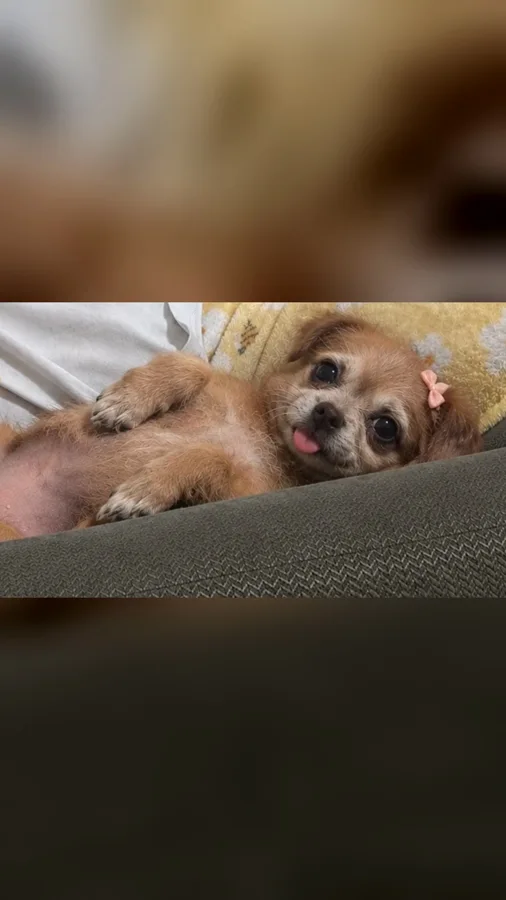
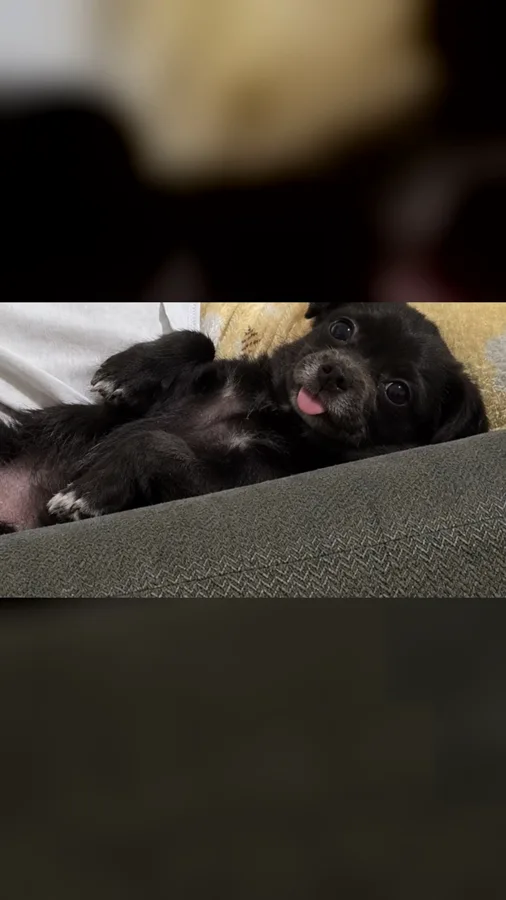
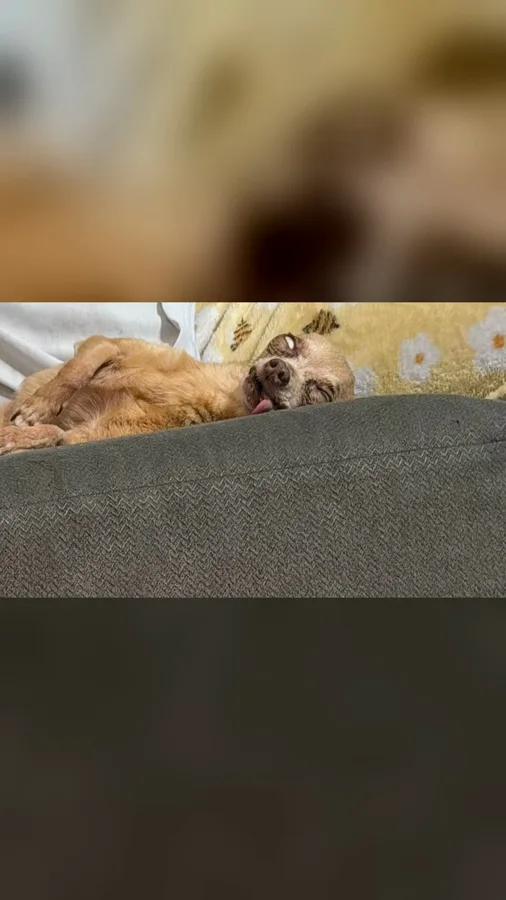
A breakdown of the visual idea, with practical directions you can customize. The reference frames below belong to one example; they are not separate Rendastic outputs.
THE FIRST SLIDE
Make the fantasy easy to recognize
The polished image is the setup. Choose one specific upgrade—a beautiful room, a sports venue or a carefully styled portrait—so viewers can understand what changes when the original appears.
- Keep the face and pose familiar.
- Choose one main setting change.
- Leave captions out of the generated image.
THE REVEAL
Keep your original photo untouched
The punchline comes from returning to the actual image you uploaded. Save that original separately. This tool creates the polished image; you arrange it before the original in your carousel or video editor.
- First: the generated ideal version.
- Last: your unedited original.
- Add “perdón” as an editable caption.
PETS, SPORTS AND EVERYDAY LIFE
Pick a contrast that belongs to you
A sleepy pet can have a grand portrait setting; a local sports snapshot can become a stadium moment. The joke works when the same subject and pose connect the fantasy to the ordinary scene.
- Make yourself or your own pet the subject.
- Preserve body shape and apparent age.
- Let the surroundings carry the exaggeration.
MADE TO BE CUSTOMIZED
From your photo to your own version
One-photo image editing
The reference image guides the polished version. The prepared prompt keeps identity and pose central while changing the setting and styling.
A reusable reveal pair
Download the generated image and pair it with your original. Use the pair in a photo carousel, a two-slide story or a short edited video.
Editable creative direction
Replace the luxury portrait setting with a sports, travel or pet-portrait idea. Keep one consistent change instead of stacking unrelated transformations.
YOUR SCENE, YOUR DIRECTION
What is the Perdon AI photo trend?
Perdon, also written Perdón, is an AI-versus-reality reveal: an idealized image appears first, followed by the original and an apologetic punchline. This page makes the edited first image. You keep the actual photo for the final slide, so the reveal remains your own real moment.
Customize this sceneChoose a photo that gives the scene a clear starting point
- Choose an ordinary photo that you are comfortable showing as the reveal.
- Keep the subject sharp; blur in the original removes useful facial detail.
- Use the same crop for both slides when assembling the post.
- A 9:16 composition fits a vertical story; check the crop before exporting your final edit.
FROM PHOTO TO YOUR REVEAL
How to make your Perdon AI photo
Upload the real photo
Choose the everyday image that will become the reveal. Keep an untouched copy on your device.
Generate the ideal version
Open the image editor, choose the dream setting in the prepared prompt, and review the quote before generating.
Arrange the reveal
Download the image. Place it before your original in a carousel or video editor, then add your caption and permitted sound.
CHOOSE YOUR CREATIVE WORKFLOW
Perdon AI: Rendastic and MakeViral workflows
Compare what you need to prepare and what each named template creates. Different input methods and output settings suit different edits; raw credit units are not equivalent across services.
Swipe or scroll sideways to compare all tools
| Your decision | RendasticPerdon AI templateThis template | MakeViralPerdon idealized-photo template |
|---|---|---|
| What you create | One edited idealized image; retain your original for the reveal | One idealized image from a source photo |
| Creative direction | Editable setting, styling and identity-preservation prompt | Named person and pet photo versions |
| Starting resolution | 1K image; supported options in the editor | 2K photo listed on the template page |
| Final assembly | Arrange generated image and original in your carousel or video editor | Download image or use its separate video continuation |
Scope: the named public templates, not all features on either platform. This is a workflow comparison, not a quality or speed ranking. Rendastic pricing comes from the current editor quote.
Sources checked : MakeViral Perdon AI template
Start here when you want to customize the prepared prompt and keep your photo, settings and draft together in the Rendastic editor.
Create my Perdon photoABOUT THIS CREATION
Your creation and the trend reference
Make the scene yours. Use photos you have permission to process and share the result responsibly.
- This workflow creates one idealized image. You assemble the reveal with your unedited original; it does not automatically create a multi-slide carousel or a finished music video.
- Use your own photo or obtain permission from the person depicted. Do not present a fictional scene as a real event involving someone else.
- The template is independently prepared by Rendastic. Referenced creators and platforms do not endorse or operate this service.
BEFORE YOU CREATE
Your photos and the creation process
What happens to uploaded photos?
Your photo is processed to guide the requested creation. Local source files are removed after processing or within one hour. Generation-provider reference links can remain publicly accessible for up to 30 days; local deletion does not remove that provider copy.
Keep control of what you submit
Use images you have permission to process. Read the Privacy Policy for processor, retention and deletion details before uploading material that should remain confidential.
PAY ONCE. MAKE IT YOURS.
Choose your one-time pack
Pick how many images you want to make. No subscription. No automatic renewal.
At this template’s starting settings: 1K · 6 credits per image.
START HERE
Credits for
58 images
$4.99one-time
350 credits included
- No subscription or automatic renewal
- Credits valid for 12 months
- Use remaining credits on other creations
ONE-TIME PACK
Credits for
176 images
$14.99one-time
1060 credits included
- No subscription or automatic renewal
- Credits valid for 12 months
- Use remaining credits on other creations
ONE-TIME PACK
Credits for
358 images
$29.99one-time
2150 credits included
- No subscription or automatic renewal
- Credits valid for 12 months
- Use remaining credits on other creations
Need more? See larger one-time packs
ONE-TIME PACK
Credits for
725 images
$59.99one-time
4350 credits included
- No subscription or automatic renewal
- Credits valid for 12 months
- Use remaining credits on other creations
ONE-TIME PACK
Credits for
1216 images
$99.00one-time
7300 credits included
- No subscription or automatic renewal
- Credits valid for 12 months
- Use remaining credits on other creations
Counts use this template’s starting settings and pack credits only. Changing the model or settings changes how many you can make. Review the quote before generating. Any daily free creations are extra.
This preset is also eligible for your daily free allowance when available. Credit packs give you a balance for more creations.
Create regularly?
Explore subscription plansPrices in USD; applicable taxes appear before payment. See credit pack terms and the Terms of Service. Choosing a pack does not start a generation.
A FEW THINGS WORTH KNOWING
Perdon AI questions
Does this create a Perdon video automatically?
This workflow creates the idealized image, not a finished multi-slide video. Pair the downloaded image with your original in a carousel or video editor to complete the reveal.
How many photos do I upload?
One. Use the same ordinary photo you plan to show at the end. The editor generates the polished version from that reference.
Can I make the Perdon trend with a pet?
Yes. Use a clear photo of your own pet and describe a portrait setting. Keep the animal’s species, markings and pose in the prompt so the two images connect.
Will the tool overwrite my original image?
No. It produces a separate generated image. Keep your original file for the reveal and arrange the two images yourself.
Can I use a sports photo instead of a luxury portrait?
Yes. Replace the setting directions with a stadium, training arena or other fictional sports setting. Keep the same person, pose and camera angle for an effective comparison.
Does the image include the word “perdón” or the trending song?
No. Add the caption and any permitted audio in the app where you assemble or publish your post. Keeping text separate makes it easy to adjust the timing.
Is this template free, and how much does it cost?
The default is eligible for the shared daily free allowance: up to 3 outputs per UTC day across tools, subject to model availability and service capacity. It uses a 1K medium-quality image edit. Premium settings may require credits; review the current allowance or quote in the editor.
Where can I use the completed result?
You can download the completed result and prepare it for your chosen social platform. Use photos and added audio you have permission to use, follow that platform’s AI-labeling requirements, and read our Terms for applicable content rules.
MAKE YOUR NEXT TAKE
The dream version comes first. The real you gets the last slide.
Start with one photo, review the prepared directions and continue in the editor.
Use Perdon AI template View one-time packs