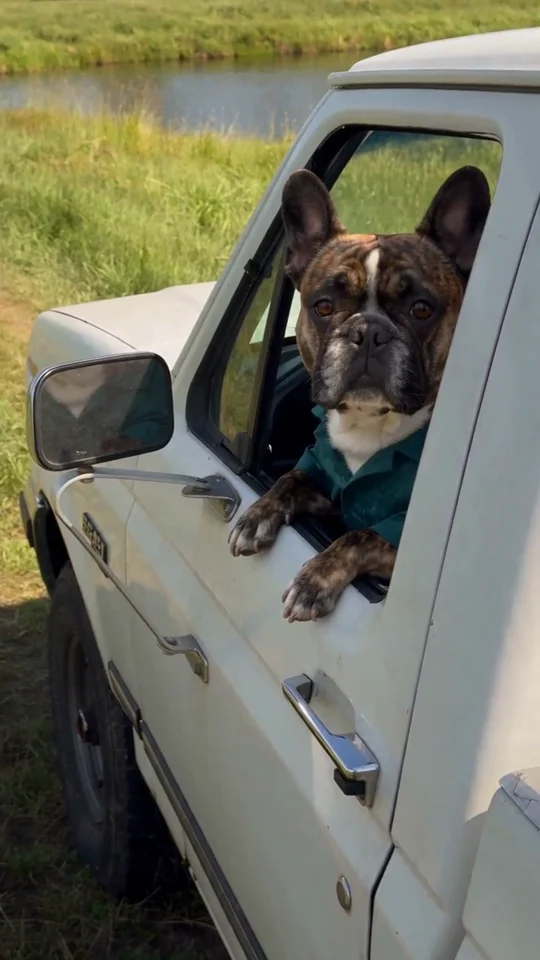
YOUR PHOTO, A NEW SCENE
What Stop Sign AI Video Generator
One photo becomes the confused driver. Create a fictional bodycam-style exchange, complete with a pause and your own punchline.
 What Stop Sign⇄
Start with one clear photo. Your photo and prepared prompt continue into the editor.
Do not upload sensitive images. Privacy Policy
Make my bodycam memeINSIDE THE SCENE
The setup, the pause and the punchline
A breakdown of the visual idea, with practical directions you can customize. The reference frames below belong to one example; they are not separate Rendastic outputs.
BODYCAM VIEWPOINT
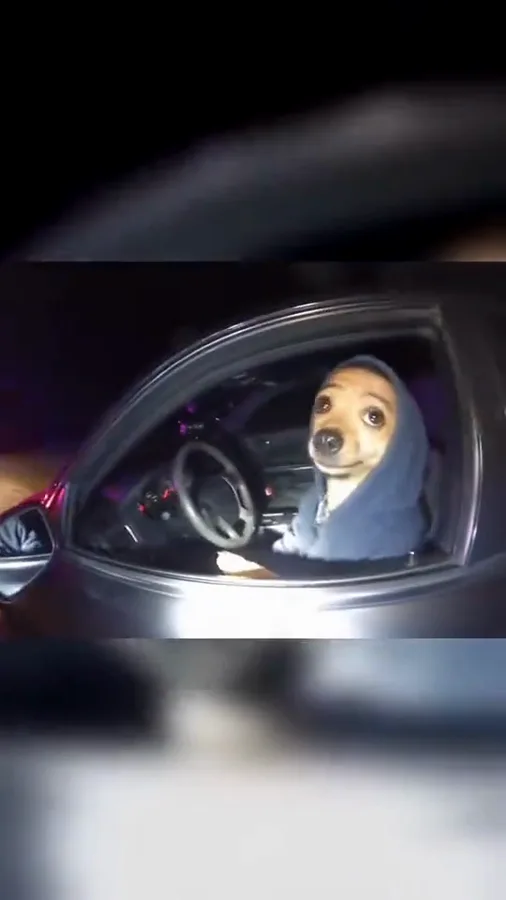
Keep the exchange at the car window
The camera belongs outside the parked car, at roughly chest height. That view makes the driver’s expression readable while leaving the other speaker offscreen. A dashboard selfie creates a different setup.
- Place the lens outside the open window.
- Keep the car stationary throughout.
- Use dashboard light to reveal the face.
THE MISUNDERSTANDING
Leave room for the pause
The joke needs a moment between the question and the confused response. A short line followed by an eyebrow lift is easier to direct than an argument with several overlapping speakers.
- Use one question and one reply.
- Put the pause before the punchline.
- End on the innocent expression.
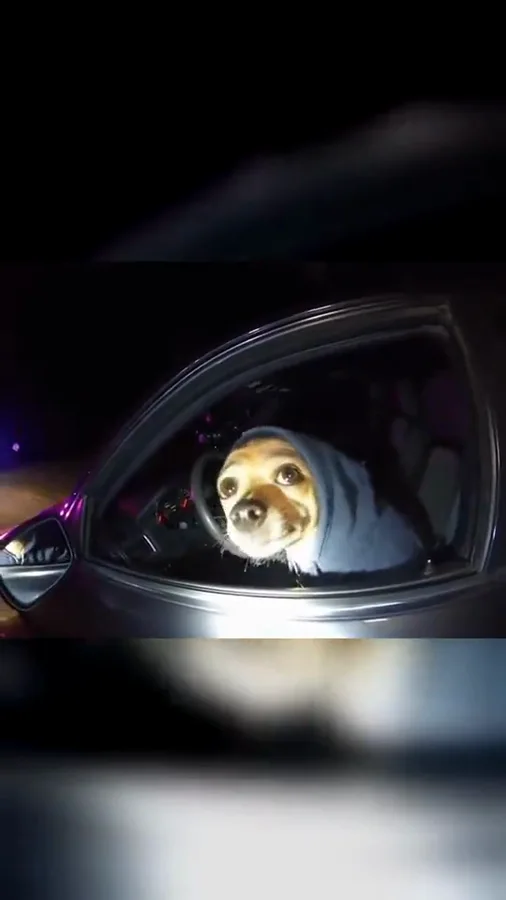
A FICTIONAL REACTION
Write a different punchline
Keep the parked-car setting and change the final response for an original variation. The prepared editor includes a script; you can edit it while keeping the camera and timing directions.
- Avoid real names or official case details.
- Use a voice description, not a real-person imitation.
- Label the finished post as an AI comedy.
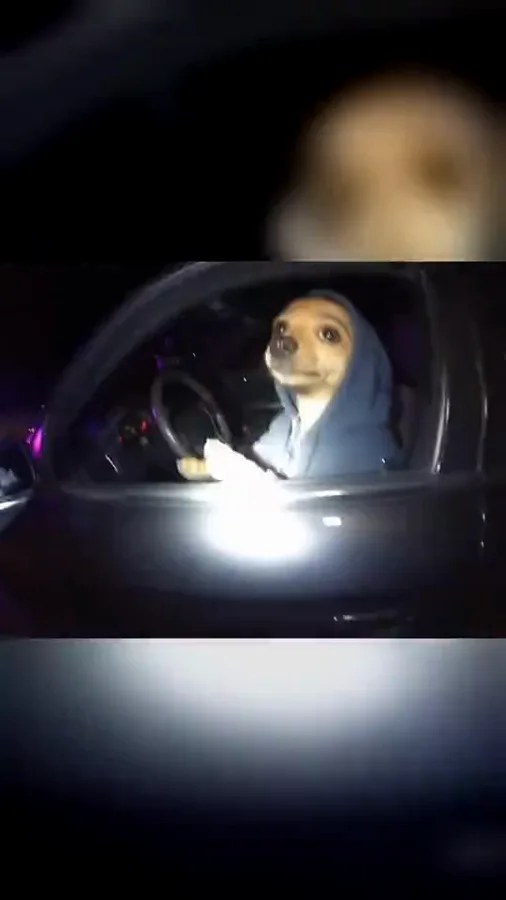
MADE TO BE CUSTOMIZED
From your photo to your own version
A short script is already prepared
The prompt includes the offscreen question, pause and driver’s reply. Edit the wording before generating.
Generated dialogue is enabled
This recipe requests new speech and ambient sound. It does not bundle the audio from an existing bodycam clip.
No source footage required
One photo guides the driver. The scene is generated from the prepared directions, so you do not need to upload a police recording.
YOUR SCENE, YOUR DIRECTION
What is the “What Stop Sign?” AI meme?
The meme turns a confused traffic-stop response into a short reaction scene. AI versions put a different character in the driver’s seat. Rendastic creates a fictional parked-car exchange from your photo and script, using a bodycam-style viewpoint without presenting the result as real police footage.
Customize this sceneChoose a photo that gives the scene a clear starting point
- Choose a clear frontal or slight three-quarter portrait.
- Keep the mouth and eyes unobstructed for the reaction.
- Use one character photo, not a screenshot containing several faces.
- Keep the dialogue short enough to leave time for the pause and final look.
FROM PHOTO TO FINISHED TAKE
How to make your What Stop Sign video
Upload the driver photo
Choose one adult or pet photo you have permission to use. The prepared prompt supplies the car and night setting.
Review the comic exchange
Open the editor, personalize the lines and check generated sound, duration and the current quote.
Generate and share the scene
Download the completed clip after generation. Identify it as a fictional AI scene when sharing rather than a real traffic-stop recording.
FIND YOUR WAY TO THE MEME
What Stop Sign AI: Rendastic and MakeViral workflows
Compare what you need to prepare and what each named template creates. Different input methods and output settings suit different edits; raw credit units are not equivalent across services.
Swipe or scroll sideways to compare all tools
| Your decision | RendasticWhat Stop Sign templateThis template | MakeViralBodycam reaction template |
|---|---|---|
| Photo input | One driver or pet photo | One driver or pet photo |
| Speech direction | Editable short dialogue with original generated voices | Named What Stop Sign scene with sound |
| Starting output | 15 seconds, vertical, generated dialogue enabled | 10-second vertical clip with sound |
Scope: the named public templates, not all features on either platform. This is a workflow comparison, not a quality or speed ranking. Rendastic pricing comes from the current editor quote.
Sources checked : MakeViral What Stop Sign AI template
Start here when you want to customize the prepared prompt and keep your photo, settings and draft together in the Rendastic editor.
Make my bodycam memeABOUT THIS CREATION
Your creation and the trend reference
Make the scene yours. Use photos you have permission to process and share the result responsibly.
- This workflow creates a new video scene from your input. The public reference is shown to explain the trend; it is not submitted as generation footage.
- Use your own photo or obtain permission from the person depicted. Do not present a fictional scene as a real event involving someone else.
- The template is independently prepared by Rendastic. Referenced creators and platforms do not endorse or operate this service.
BEFORE YOU UPLOAD
Your photos and the creation process
What happens to uploaded photos?
Your photo is processed to guide the requested creation. Local source files are removed after processing or within one hour. Generation-provider reference links can remain publicly accessible for up to 30 days; local deletion does not remove that provider copy.
Keep control of what you submit
Use images you have permission to process. Read the Privacy Policy for processor, retention and deletion details before uploading material that should remain confidential.
PAY ONCE. MAKE IT YOURS.
Choose your one-time pack
Pick how many videos you want to make. No subscription. No automatic renewal.
At this template’s starting settings: 15s · 720p · 325 credits per video.
START HERE
Credits for
1 video
$4.99one-time
350 credits included
- No subscription or automatic renewal
- Credits valid for 12 months
- Use remaining credits on other creations
ONE-TIME PACK
Credits for
3 videos
$14.99one-time
1060 credits included
- No subscription or automatic renewal
- Credits valid for 12 months
- Use remaining credits on other creations
ONE-TIME PACK
Credits for
6 videos
$29.99one-time
2150 credits included
- No subscription or automatic renewal
- Credits valid for 12 months
- Use remaining credits on other creations
Need more? See larger one-time packs
ONE-TIME PACK
Credits for
13 videos
$59.99one-time
4350 credits included
- No subscription or automatic renewal
- Credits valid for 12 months
- Use remaining credits on other creations
ONE-TIME PACK
Credits for
22 videos
$99.00one-time
7300 credits included
- No subscription or automatic renewal
- Credits valid for 12 months
- Use remaining credits on other creations
Counts use this template’s starting settings and pack credits only. Changing the model or settings changes how many you can make. Review the quote before generating. Any daily free creations are extra.
Create regularly?
Explore subscription plansPrices in USD; applicable taxes appear before payment. See credit pack terms and the Terms of Service. Choosing a pack does not start a generation.
A FEW THINGS WORTH KNOWING
What Stop Sign questions
How do I make the What Stop Sign meme with my own photo?
Upload one photo and continue to the editor. The prepared script creates a parked-car reaction with generated dialogue; review the script and quote before submitting.
Is this a face swap into the original bodycam video?
No. This is a new photo-guided scene. The reference preview is for understanding the meme and is not input footage for your generation.
Will it use the original driver’s voice?
No. The recipe requests original generated voices. It does not supply or clone the voice from the original recording.
Can I change the dialogue?
Yes. Edit the prepared lines in the prompt. Keep the exchange brief and retain a pause so the reaction has time to land.
Can I put my dog in the driver’s seat?
You can use a pet photo and adapt the prompt for a clearly fictional talking animal. Keep its face and ears visible in the source image.
What if the dialogue takes too much of the clip?
Shorten the lines or remove one line before a new generation. A question, pause and reply fit the scene better than a long back-and-forth.
Is this template free, and how much does it cost?
This preset uses paid credits: 325 Rendastic credits · 15s / 720p. A one-time pack starts at $4.99 for 350 credits, valid for 12 months. The editor shows your current quote before generation; the cost changes with supported model and output settings.
Where can I use the completed result?
You can download the completed result and prepare it for your chosen social platform. Use photos and added audio you have permission to use, follow that platform’s AI-labeling requirements, and read our Terms for applicable content rules.
MAKE YOUR NEXT TAKE
Your face. Your pause. Your punchline.
Start with one photo, review the prepared directions and continue in the editor.
Use What Stop Sign template View one-time packs