YOUR PHOTO, YOUR SCENE
Window Peeper AI Video Generator
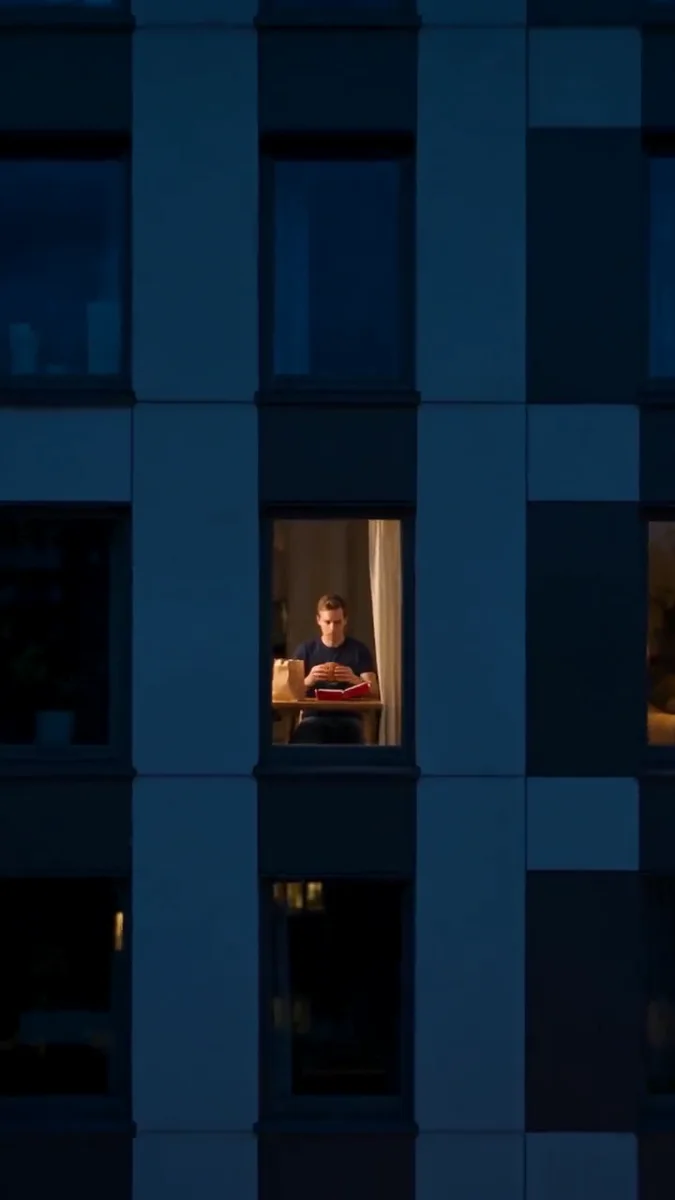
One lit window. One interrupted burger. Turn your photo into a night-time zoom, an awkward stare and a curtain that says the scene is over.
 Window Peeper⇄
Start with one clear photo. Your photos and prepared directions continue into the editor.
Do not upload sensitive images. Privacy Policy
Make my window-peeper videoINSIDE THE SCENE
Inside the Window Peeper scene
Three visual details from the same trend reference, paired with directions for your own creation. These frames are a breakdown of one reference, not separate Rendastic outputs.
FIND THE WINDOW
Give the viewer one place to look
A dark building with one warm rectangle directs attention before the face is visible. Keep the window and dining table simple so the push-in has a clear destination.
- One lit window is enough.
- Use a fictional exterior without an address.
- Stop the camera outside the glass.
THE AWKWARD PAUSE
Let the stare become the punchline
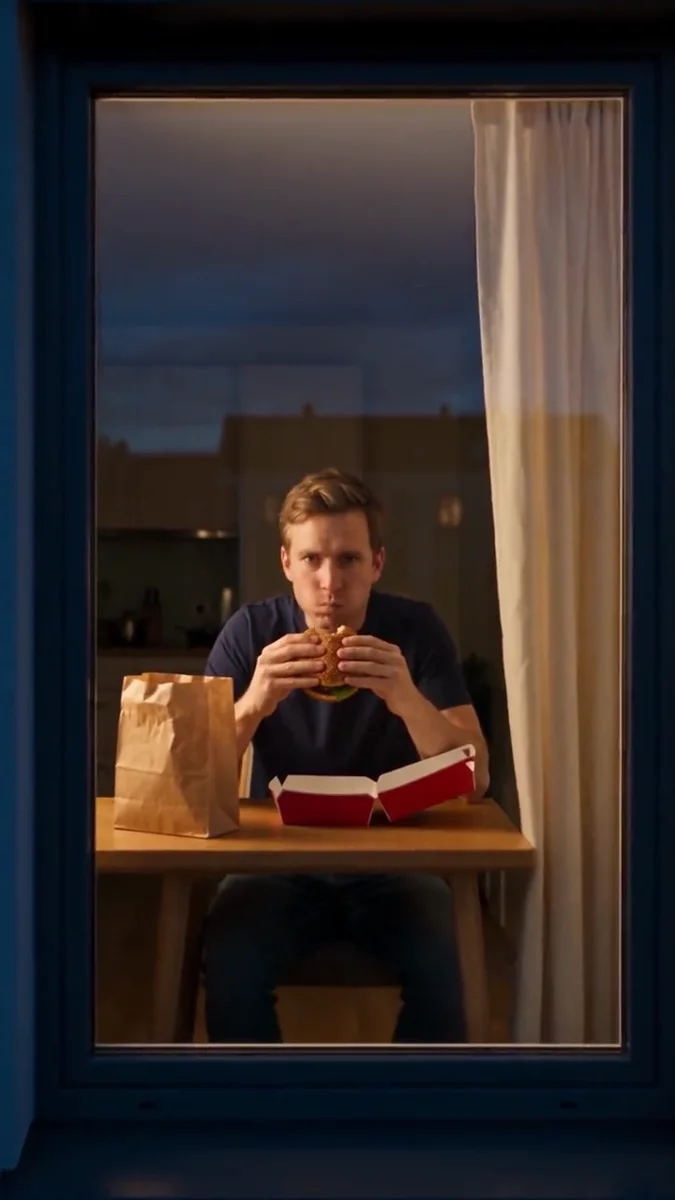
The recognition beat works when the character stops chewing and looks straight back. Keep a short pause between the bite and the curtain instead of rushing through every action.
- Use one small bite.
- Leave the eyes clearly visible.
- Choose deadpan, puzzled or mock-annoyed in the prompt.
CLOSE THE SCENE
End on the curtain, not another camera move
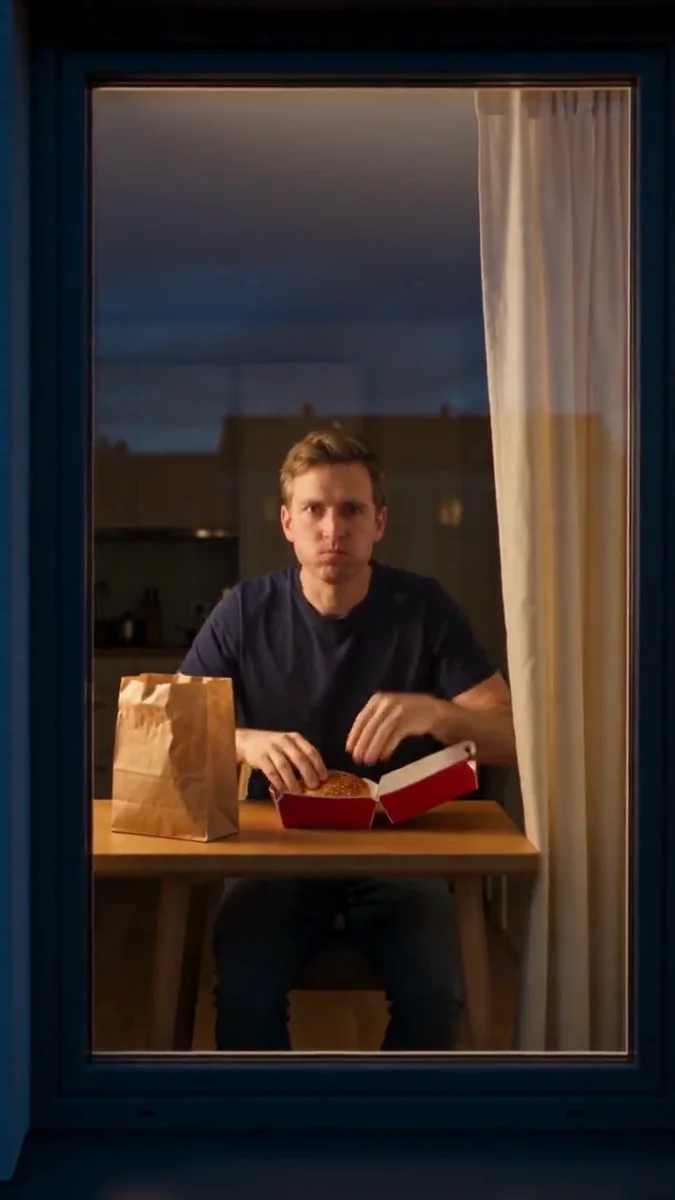
Pulling the curtain across the frame provides a clean finish. Put the food down first so the final action has a clear sequence and the hands have one job at a time.
- Set the burger on the plate.
- Use one curtain-closing action.
- Add your caption after the video is complete.
MADE TO BE CUSTOMIZED
Make the scene your own
An ordinary portrait works
You do not need a window-side photo. The prepared scene supplies the apartment, table and exterior viewpoint.
A built-in visual punchline
The camera approach, interrupted bite and curtain ending form one short sequence you can personalize.
Room for a different snack
Change the burger to a sandwich or dessert in the editor while keeping the same caught-at-the-window setup.
YOUR SCENE, YOUR DIRECTION
What is the Window Peeper AI effect?
The Window Peeper filter builds a short joke around an unwanted audience: the camera approaches a lit window, the eater notices, and the curtain shuts out the viewer. It is also called the burger window or window zoom meme. Rendastic prepares a fictional version from your photo, with the camera move and ending already written into an editable prompt.
Customize this scenePrepare your source photo
- Choose a well-lit head-and-shoulders or waist-up photo of one adult.
- Keep both eyes visible; the stare is the key reaction.
- Use your own photo or a person who agreed to appear.
- Keep food and props simple, with no brand or real location necessary.
FROM PHOTO TO FINISHED TAKE
How to make your Window Peeper video
Choose who gets interrupted
Upload one clear portrait. The scene creates a fictional room around your character.
Set the reaction
Open the editor, keep the camera-to-window setup and choose your snack and expression. Review the credit quote.
Generate the punchline
Create and download the completed clip, then add your own caption or permitted sound in your publishing app.
FIND YOUR WAY TO THE MEME
Window Peeper: Rendastic and MakeViral
Choose the workflow that fits the inputs and creative control you want. This comparison covers the named public templates, not every feature on either platform.
Swipe or scroll sideways to compare all tools
| Your decision | RendasticWindow Peeper photo presetThis template | MakeViralWindow Peeper template |
|---|---|---|
| Required input | One portrait; no building photo needed | Its Window Peeper template also starts from one face photo |
| Scene direction | Editable outside-to-window prompt with snack and expression controls | Its public template describes a burger, stare and curtain sequence |
| Starting output | 10 seconds · 9:16 · silent | Its page advertises a 10-second vertical scene with sound |
Reviewed October 24, 2026. Published workflow descriptions, not a quality or speed ranking. Different services’ credit units are not equivalent.
Sources checked : MakeViral Window Peeper template
Choose Rendastic when you want to review and personalize the prepared scene while keeping your photos, settings and draft together in the editor.
Make my window-peeper videoABOUT THIS CREATION
Your creation and the reference
Make the scene yours. Use photos you have permission to process and share the result responsibly.
- This workflow creates a new video from your sources and directions. The public preview illustrates the trend and is not submitted as generation footage.
- Use photos and any added motion or music you are entitled to process. Share fictional or memorial creations as AI-made scenes, not authentic recordings.
- This is an independently prepared Rendastic template. Referenced artists, creators, characters and platforms do not endorse or operate the service.
BEFORE YOU UPLOAD
Your photos and the creation process
What happens to uploaded photos?
Your photo is processed to guide the requested creation. Local source files are removed after processing or within one hour. Generation-provider reference links can remain publicly accessible for up to 30 days; local deletion does not remove that provider copy.
Keep control of what you submit
Use images you have permission to process. Read the Privacy Policy for processor, retention and deletion details before uploading material that should remain confidential.
PAY ONCE. MAKE IT YOURS.
Choose your one-time pack
Pick how many videos you want to make. No subscription. No automatic renewal.
At this template’s starting settings: 10s · 480p · 133 credits per video.
START HERE
Credits for
2 videos
$4.99one-time
350 credits included
- No subscription or automatic renewal
- Credits valid for 12 months
- Use remaining credits on other creations
ONE-TIME PACK
Credits for
7 videos
$14.99one-time
1060 credits included
- No subscription or automatic renewal
- Credits valid for 12 months
- Use remaining credits on other creations
ONE-TIME PACK
Credits for
16 videos
$29.99one-time
2150 credits included
- No subscription or automatic renewal
- Credits valid for 12 months
- Use remaining credits on other creations
Need more? See larger one-time packs
ONE-TIME PACK
Credits for
32 videos
$59.99one-time
4350 credits included
- No subscription or automatic renewal
- Credits valid for 12 months
- Use remaining credits on other creations
ONE-TIME PACK
Credits for
54 videos
$99.00one-time
7300 credits included
- No subscription or automatic renewal
- Credits valid for 12 months
- Use remaining credits on other creations
Counts use this template’s starting settings and pack credits only. Changing the model or settings changes how many you can make. Review the quote before generating. Any daily free creations are extra.
Create regularly?
Explore subscription plansPrices in USD; applicable taxes appear before payment. See credit pack terms and the Terms of Service. Choosing a pack does not start a generation.
A FEW THINGS WORTH KNOWING
Window Peeper questions
How do I make the Window Peeper AI filter?
Upload one portrait and open the prepared editor. Review the zoom-in, burger reaction and curtain ending, then generate a new 10-second vertical scene.
Do I need a picture taken beside a window?
No. A clear portrait is enough to start. The prompt supplies the window, apartment interior and night-time exterior.
Is Window Peeper the same as Fridge POV?
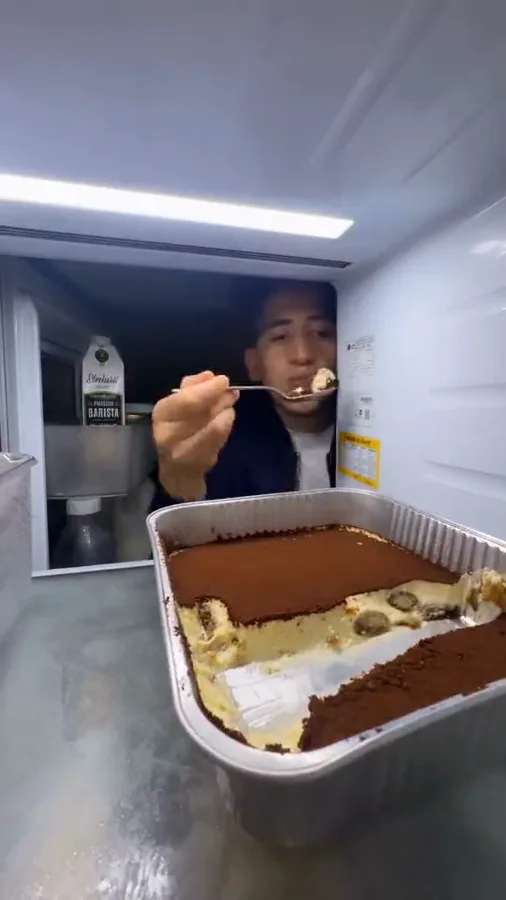
They share a caught-eating joke but use different viewpoints. Window Peeper approaches from outside a building; Fridge POV watches from inside the refrigerator.
Can I change the burger to another food?
Yes. Replace the food in the prompt and keep a simple plate or container. The camera move, stare and curtain can stay the same.
Does it film a real home or access a camera?
No. It generates a fictional scene from your uploaded photo and directions. It does not access a camera feed or locate an apartment.
Does the output include the trending sound?
No. The starting preset is silent. Add a sound you are permitted to use after downloading.
How much does this preset cost?
The prepared preset uses paid credits: 133 Rendastic credits · 10s / 480p. One-time packs start at $4.99 for 350 credits, valid for 12 months. The pack cards show whole videos at these settings; changing the model, duration or resolution changes the current quote.
What happens to my uploaded photos?
Local source files are removed after processing or within one hour. Generation-provider reference links can remain publicly accessible for up to 30 days. Read the Privacy Policy for processor and deletion details before submitting.
MAKE YOUR NEXT TAKE
Who just noticed the camera?
Choose your photo, personalize the prepared directions and continue in the editor.
Use Window Peeper template View one-time packs