FLUX 3 Max AI Video Generator
Turn a prompt or your own photo into a moving scene. Create 5–15 second videos, guide the first and last frames, and add generated sound—all in your browser.
Review your settings and credit quote in the editor.
See FLUX 3 Max in motion
Explore the model’s visual range in this official demonstration.
MODEL GUIDE · REVIEWED
What is FLUX 3 Max?
FLUX 3 Max is a video model developed through fal Research’s post-training work with Black Forest Labs. Released on October 19, 2026, it turns text or images into video with optional generated audio. It is separate from the FLUX image-generation models.
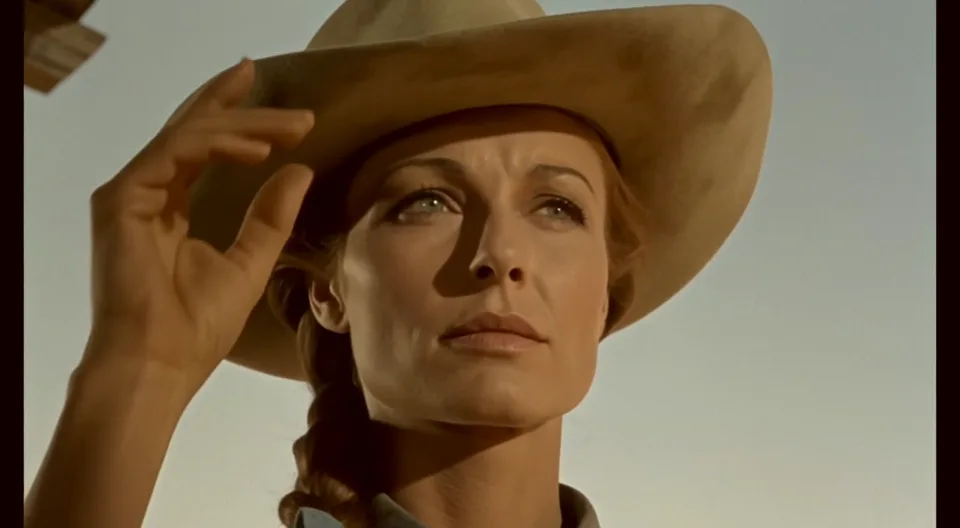
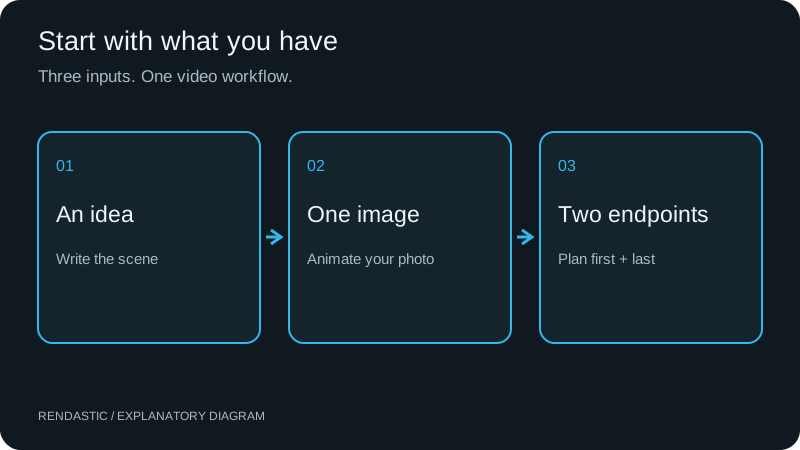
On Rendastic, start from a written scene, animate one image, or guide both ends of a shot with two images. The controls below describe what you can use here today.
- Input
- Text only, one starting image, or two images for the first and last frames. JPG, PNG or WebP; up to 10 MB per image.
- Video length
- 5, 10 or 15 seconds in this composer. Plan one shot per generation; combine downloaded clips in a video editor for a longer sequence.
- Resolution
- 720p or 1080p export. Start at 720p to develop the shot; choose 1080p when the delivery needs a larger frame. No 4K option here.
- Aspect ratio
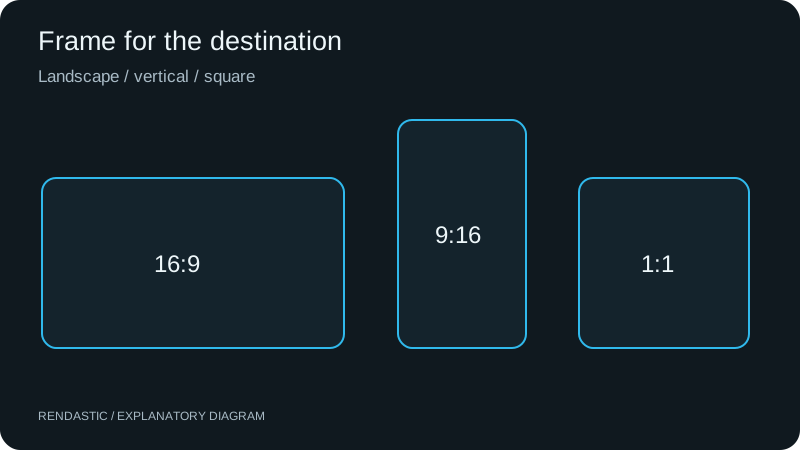
- 16:9 for a wide composition, 9:16 for a vertical feed, or 1:1 for a square post. Prepare reference images in your intended ratio.
- Audio
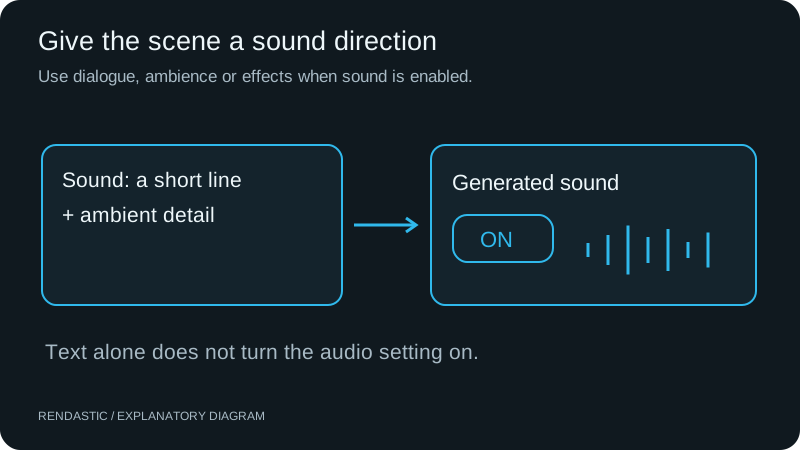
- Generated sound can be turned on or off. Sound starts off on Rendastic; switch it on before using an audio or dialogue prompt.
- Access
- Browser-based, with sign-in and paid credits required to generate. No app, local model installation or personal API key is needed.
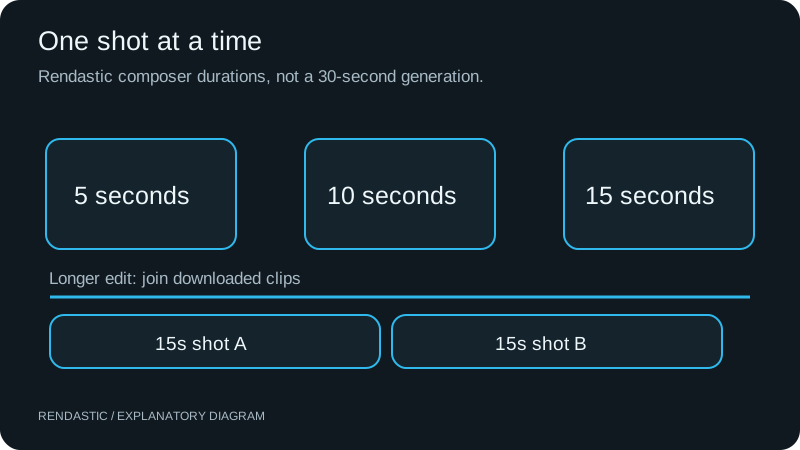
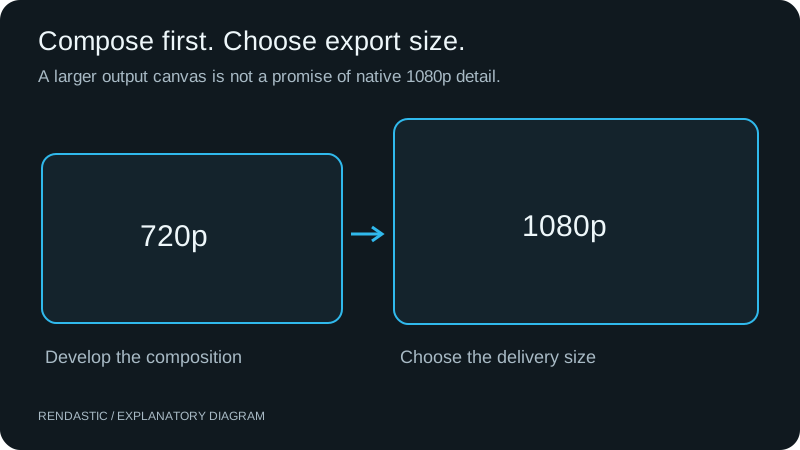
Model capability and website controls are different: the underlying model documents up to 20 seconds and up to ten keyframes. Rendastic currently offers up to 15 seconds and two endpoint images. The full editor also offers shorter and 480p exports; a shorter export still uses at least five seconds of model generation.
WHY CONSIDER FLUX 3 MAX?
A new balance of visual quality and iteration speed
The practical reason to try FLUX 3 Max is the combination: a leading-group image-to-video result, a faster published generation benchmark, and text, image and endpoint controls with optional sound.
What does “Max” change?
fal describes Max as a post-trained FLUX 3 model, developed with Black Forest Labs, targeting visual fidelity, motion coherence and prompt adherence. The launch also combines model optimization with serving improvements. That is a specific model update, rather than a new effect preset.
What should you use it for?
Consider it for developing shots from a product photo, exploring a camera move, planning a reveal between two images or making a short scene with sound. Those are creator use cases supported by this page’s inputs; the demonstrations below are official model samples, not tests of our suggested recipes.
MOTION & GEOMETRY
Keep the scene readable when everything moves
Fast action asks a video model to coordinate the subject, camera and surroundings. The racing demonstration gives you a concrete scene to inspect: the moving vehicle, street and changing perspective.
- Watch the vehicle shape as the camera follows it.
- Compare foreground movement with the distant background.
- Use this kind of shot when developing a chase, sports opener or dynamic reveal.
CHARACTERS IN MOTION
Give an action a beginning, a response and an ending
A useful action shot has connected beats. The official action sequence illustrates the kind of subject movement to examine when choosing a model for short narrative scenes.
- Check the hands and body through the complete movement.
- Describe one main action before adding a second beat.
- For an existing performance you need to reproduce, choose motion control instead.
MULTIPLE SUBJECTS
Make an interaction the point of the shot
A handoff is more informative than a beautiful still: two subjects must meet, exchange an object and continue. Use the official relay demonstration to inspect timing and object continuity.
- Give each subject a distinct role in your prompt.
- Specify who holds the object at the start and at the end.
- Useful for storyboards, character exchanges and short narrative transitions.
WORLD BUILDING
Combine familiar places with an unexpected idea
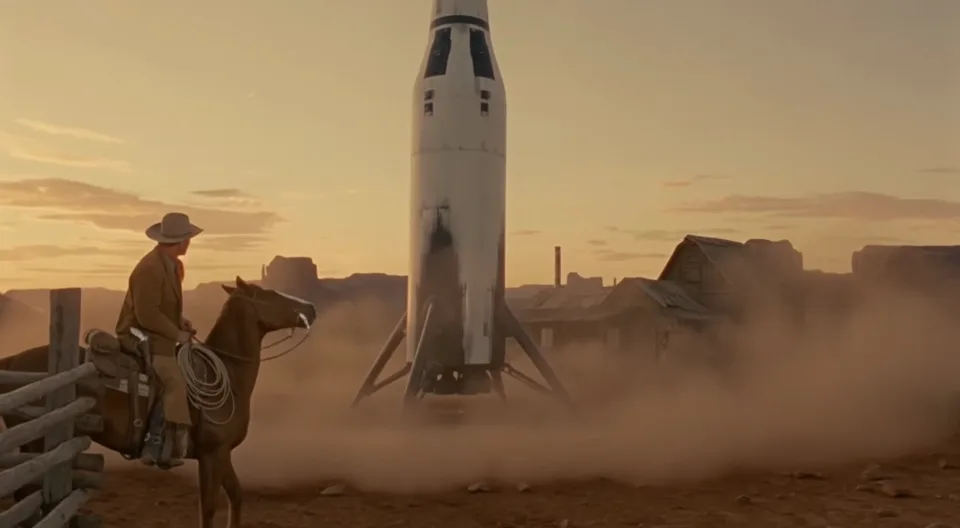
The robotaxi demonstration places a modern autonomous vehicle in a frontier street. For a concept film or campaign opener, this offers a visual reference for combining a familiar setting with an unexpected object.
- Keep one unusual object as the visual focus.
- Describe its interaction with the environment.
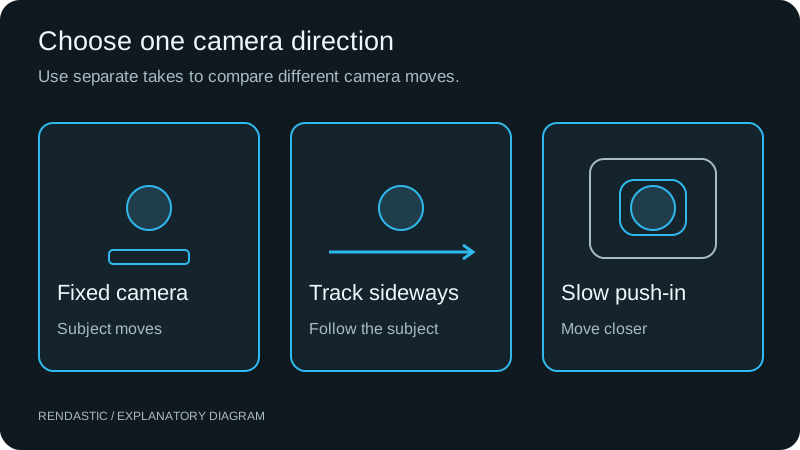
- Develop different camera directions as separate takes.
SUBJECT & ENVIRONMENT
Direct the background as well as the hero
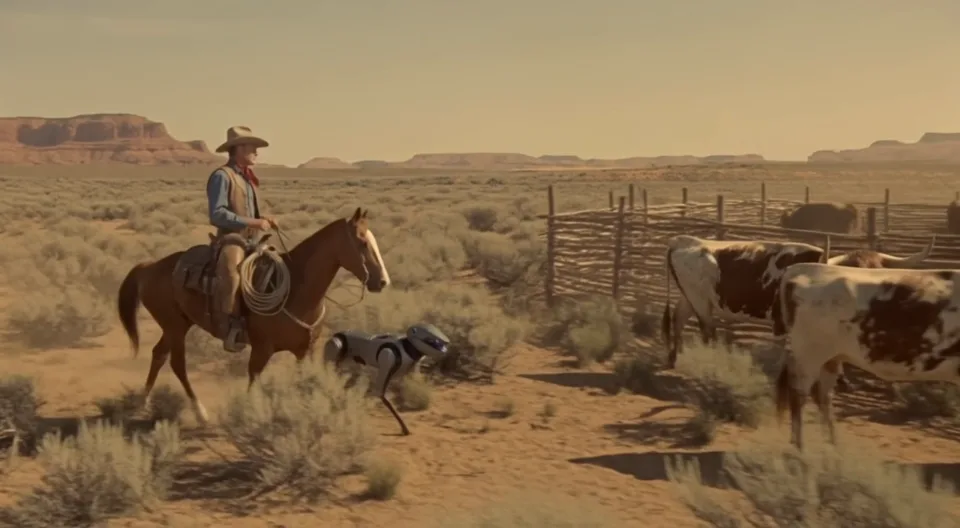
The robotic-dog demonstration puts several moving subjects in one scene. It gives you a reference for assessing whether a main action remains legible while the surrounding scene changes.
- Name the main subject first, then the supporting movement.
- Use a single camera move to keep the shot easy to read.
- Choose this setup for creature concepts and imaginative outdoor scenes.
LIGHT & MATERIALS
Explore light that becomes part of the action
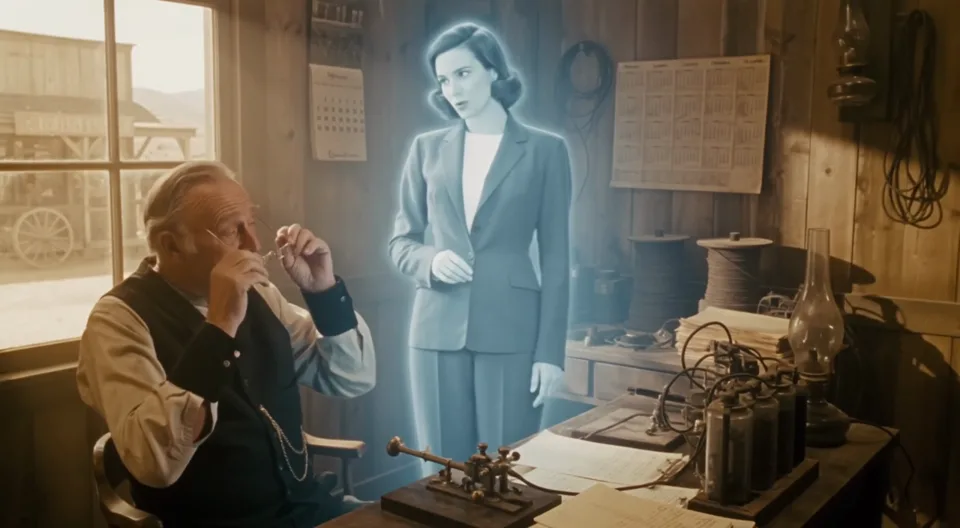
In the hologram demonstration, a luminous effect shares the frame with physical surroundings. This is a useful visual reference for speculative product concepts, science-fiction scenes and atmospheric reveals.
- Describe where the light comes from and what it illuminates.
- Keep the reveal separate from unrelated camera changes.
- Add final typography and exact brand graphics after downloading.
QUALITY EVIDENCE + SPEED EVIDENCE
FLUX 3 Max vs FLUX 3 and Seedance 2.5
Read quality and speed separately. The current independent preference board and the provider’s launch timing test answer different questions.
How does FLUX 3 Max rank today?
Artificial Analysis lists FLUX 3 Max (720p) second on its AA-Video-I2V v1.1 With Audio board on October 20, 2026: 1,138 Elo from 5,054 samples. Its 95% interval is 1,123–1,153, with a rank range of 1–5.
Seedance 2.5 has the same central score. MiniMax H3 is two points higher, but the intervals overlap. The useful conclusion is that FLUX 3 Max sits in the leading group for this image-to-video evaluation; it is not evidence of a unique winner across all tasks.
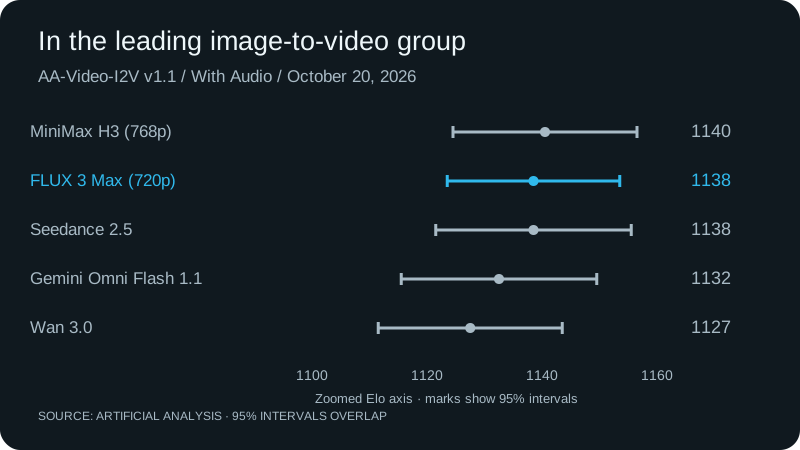
| Model | Elo | 95% interval | Samples |
|---|---|---|---|
| MiniMax H3 (768p) | 1,140 | 1,124–1,156 | 4,209 |
| FLUX 3 Max (720p) | 1,138 | 1,123–1,153 | 5,054 |
| Dreamina Seedance 2.5 | 1,138 | 1,121–1,155 | 3,688 |
| Gemini Omni Flash 1.1 | 1,132 | 1,115–1,149 | 3,368 |
| Wan 3.0 | 1,127 | 1,111–1,143 | 5,144 |
This board measures pairwise human preferences for animating a source image with audio. It does not measure text-to-video quality, completion time on Rendastic or performance on every individual prompt. Rankings can change as votes accumulate.
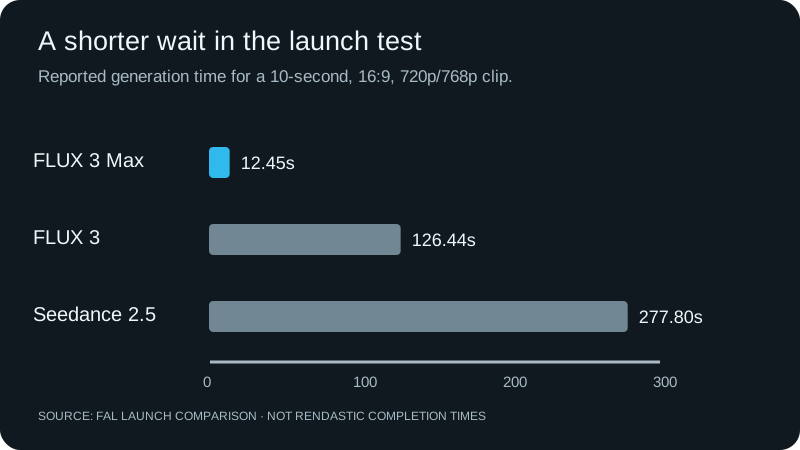
Why is the launch speed interesting?
fal reports 12.45 seconds for a 10-second clip, compared with 126.44 seconds for FLUX 3 and 277.80 seconds for Seedance 2.5 in its published setup—about 10× and 22× faster respectively.
For shot development, shorter generation cycles can make it practical to compare camera directions and action timing. This is a reason to evaluate the model, not a promised Rendastic turnaround: queueing, checks and export also take time.
| Model | Launch I2V Elo | Published generation time |
|---|---|---|
| FLUX 3 Max | 1,139 | 12.45 seconds |
| FLUX 3 | 1,089 | 126.44 seconds |
| Seedance 2.5 | 1,139 | 277.80 seconds |
Source: fal’s launch comparison. Its preliminary Elo snapshot differs from today’s live board above. These timings are provider-published results, not independent Rendastic measurements.
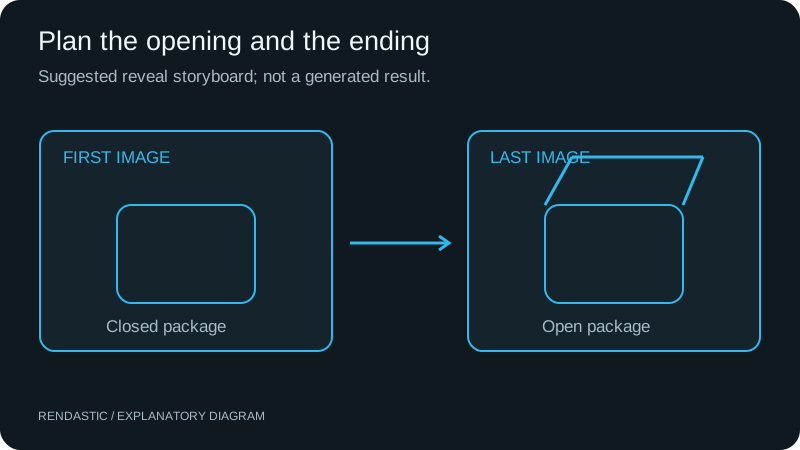
Choose FLUX 3 Max for a new shot
A still product photo, a written scene or two planned endpoints fit this workflow. Use the prompt recipes below to start with a concrete action and a matching format.
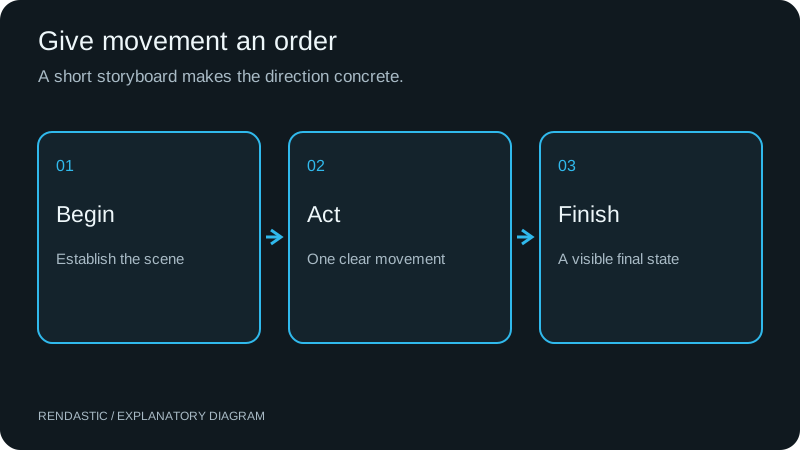
Choose by input when another workflow fits
To reproduce movement from an existing performance, use Kling motion control. For another scene generator, compare Seedance 2.5 using your own brief and its current quote. The model picker above also lets you explore compatible alternatives.
CHOOSE THE RIGHT INPUT
Three ways to create a FLUX 3 Max video
Choose the mode based on what you already have: an idea, an image, or two planned endpoints. The demos show the model; the instructions explain how to set up your own scene.
TEXT TO VIDEO
How to make a FLUX 3 Max video from text
Use Text to video when you want the model to invent the scene. Write what the opening frame shows, then the action and camera direction. A product concept, a location establishing shot or a fictional scene can start without a photo.
- For a 5-second shot, choose one action with a clear ending: a door opens, a cyclist leaves, or a cup is set down.
- For 10–15 seconds, put two or three actions in order with “first,” “then” and “finally.” Keep one setting.
- Describe framing in words as well as selecting the ratio: close-up, waist-up or wide shot.
IMAGE TO VIDEO
How to animate a product photo or portrait
Choose Image to video when the opening image matters. Upload your photo, then direct the change you want to see. In a product shot, describe the reflection, camera movement or hand interaction; for a portrait, describe a small expression or gesture.
- Start with a sharp image and room around the subject. A wider composition gives a hand or camera more space to move.
- Refer to objects already visible instead of describing a different outfit, label or background.
- Keep required brand text in an editing overlay. Use the generated clip for motion and atmosphere.
FIRST + LAST FRAMES
How to connect first and last frames
Choose First + last frames to set two visual endpoints, such as a closed package and its opened reveal. Upload the opening image first and the final image second. Explain the physical action connecting them, rather than asking only for a generic transition.
- Use matching subject scale, lighting and camera angle when you want a continuous scene.
- Allow 10–15 seconds for a staged reveal. Use 5 seconds for a small change with a simple path.
- These are endpoint controls. Rendastic does not expose the model’s multi-keyframe timeline or accept a motion-reference video in this workflow.
FROM SETUP TO DOWNLOAD
How to use FLUX 3 Max online
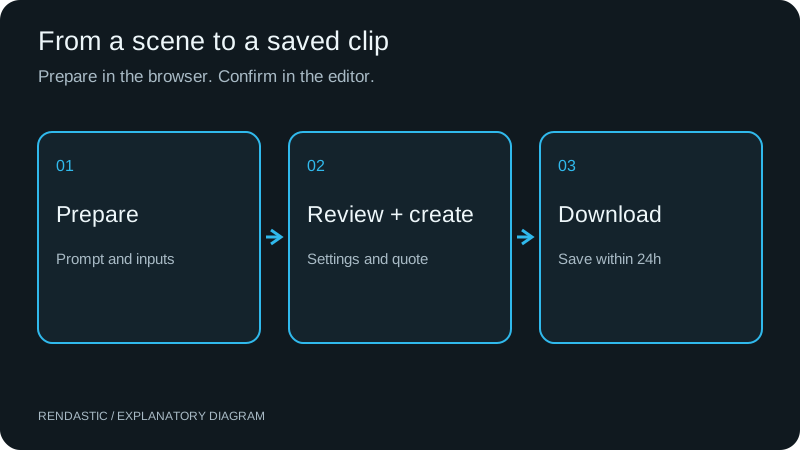
Prepare the shot here, review it in the editor, then generate and save. You do not need an API key or a local GPU.
01Choose an input and a prompt
Use text for a new scene, one photo for an animated starting image, or two photos for a guided transition. Pick a recipe below or describe your own shot.
 02
02Set the format and check the quote
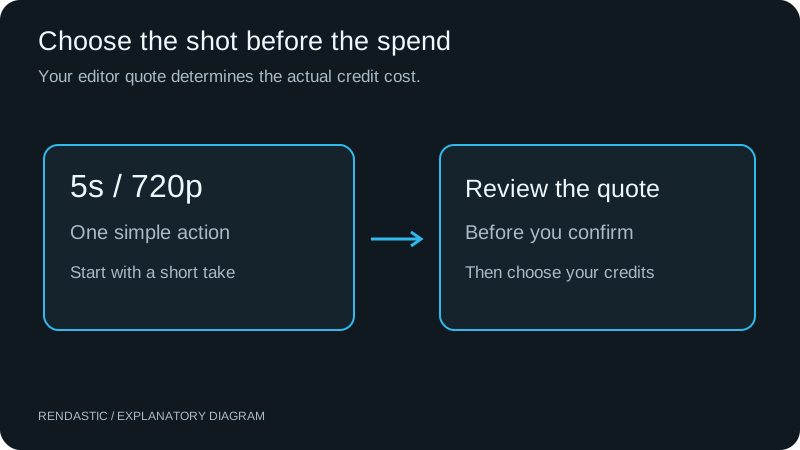
Start with 5 seconds at 720p for a short concept, or 10–15 seconds for a sequence. Continue to the editor, sign in, and review the credit quote before confirming.
03Generate and save the clip
Track the task in the editor, then play and download the result within 24 hours. For a longer video, assemble several downloaded shots in your preferred editor.
WATCH THE SCENE. START YOUR OWN TAKE.
FLUX 3 Max prompting guide
Start with a complete scene, then make it yours. These four text-to-video prompts include the action, camera, atmosphere and sound—no starting image needed.
Explore the video prompts ↓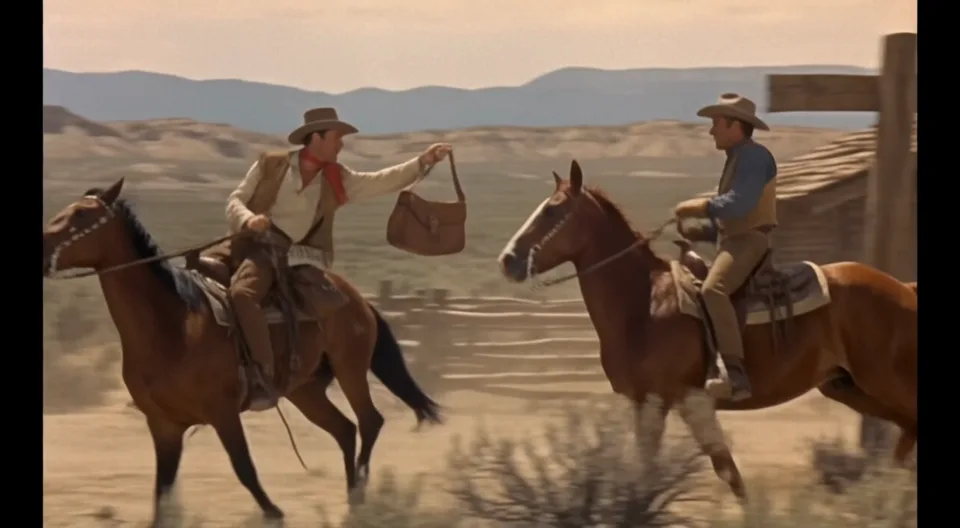
Give the action a beginning and an ending
Decide what changes during the shot: two riders meet, exchange a bag, then separate. Use that sequence to give the model a clear finish. Keep a five-second close-up to one small gesture.
Choose the camera before adding atmosphere
Track beside fast movement, or move slowly toward a face. Then add one supporting detail—dust trailing behind a horse, wind catching a collar—to make the motion feel connected to the setting.
Write sound as its own direction
A separate Sound line makes the intended audio easy to edit. Name footsteps, machinery or wind, and switch generated sound on. The prompts below include sound directions; the official previews are silent excerpts.
FOUR SCENES. COMPLETE PROMPTS.
FLUX 3 Max video prompt examples
Pick a scene and choose “Use this prompt” to load FLUX 3 Max, the full prompt and its settings above. You can edit everything before continuing to the editor.
Videos: official fal demonstrations, shown as silent excerpts. Prompts: Rendastic adaptations for the settings below, not the exact prompts used to produce these previews.
ACTION & TRACKING
A mail handoff at full gallop
Two moving subjects, one precise exchange and a camera that stays with the action.
Text to video · No image needed
- 10 seconds
- 720p
- 16:9
- Sound on
Film a ten-second mail relay on an open prairie in the late nineteenth century. A courier on a chestnut horse draws level with a second rider on a gray horse. Both keep galloping while the courier reaches across with a leather satchel. The second rider takes its strap securely, brings it against the saddle and accelerates ahead. Track alongside at horse height so the exchange remains visible in one unbroken take. Hooves throw small clouds of dust; coats and reins move with the wind. Use sunlit ochre grass, distant low hills and a softly textured period-film look. Sound: galloping hooves, creaking tack and dry prairie wind. No dialogue, music, captions or logos.
Make it yours: To make your own version, change the landscape or the object being passed. Keep the exchange as the main action.
PORTRAIT & EXPRESSION
A quiet close-up beneath a hat brim
A small gesture, a changing gaze and a restrained camera move in a five-second shot.
Text to video · No image needed
- 5 seconds
- 720p
- 16:9
- Sound on
Create a five-second cinematic close-up of an adult woman outside a remote frontier station. Frame her face from slightly below eye level, with the wide brim of a weathered felt hat shading her eyes. She notices someone approaching off camera, pauses, then gently raises the front of the brim with two fingers. Her eyes come into the light and her expression changes to quiet recognition. Move the camera very slowly closer without changing the angle. A loose strand of hair shifts in a light breeze; the pale sky and timber wall behind her remain softly out of focus. Warm afternoon light, natural skin texture, one uninterrupted take. Sound: soft wind, fabric brushing and distant hoofbeats. No speech or music.
Make it yours: Five seconds fits one gesture. Swap the hat lift for a glance or a small smile when you want another character moment.
UNEXPECTED WORLDS
A driverless car at a frontier saloon
A modern car in a period setting, with a clear arrival, boarding and departure sequence.
Text to video · No image needed
- 10 seconds
- 720p
- 16:9
- Sound on
Make a ten-second scene on the dusty main street of a nineteenth-century frontier town. A clean white autonomous electric car with a small roof sensor glides to a stop beside the saloon porch. Show through its front window that the driving seat is empty. An adult rancher in a worn coat steps off the porch, opens the rear passenger door and gets inside. The door closes, then the car rolls away past the wooden storefronts. Hold a steady medium-wide street-level view for the entire take, leaving room to see the vehicle and doorway together. Afternoon sun, weathered timber, a light haze of road dust. Sound: a quiet electric hum, boots on wooden steps, a door closing and tires on grit. No music, branding or on-screen text.
Make it yours: Keep the car, person and doorway in the same frame. Change the location before adding extra characters or another camera move.
CREATURES & COORDINATION
A robot dog helps bring the cattle home
An animal, a rider and a machine moving together through one wide outdoor composition.
Text to video · No image needed
- 10 seconds
- 720p
- 16:9
- Sound on
Create a ten-second wide shot at a sunlit frontier cattle ranch. An adult rancher on horseback moves slowly beside a compact four-legged robot dog. Two stray longhorn cattle stand near the path to a timber corral. The robot trots in a shallow arc behind them, pauses and changes direction to guide them toward the open gate. The horse follows at a calm walk while the rancher watches and gives a small approving nod. Track gently beside the group, keeping the robot, cattle and gate visible in one continuous take. Dry grass bends in the breeze and small puffs of dust follow each step. Natural warm light, realistic weight and grounded movement. Sound: soft servo whirs, hooves on dry soil, cattle breathing and wind. No dialogue or music.
Make it yours: Use a wide shot for coordinated movement. Reduce the number of animals if you want to focus on the robot’s action.
PLAN THE COST BEFORE THE TAKE
FLUX 3 Max pricing on Rendastic
FLUX 3 Max uses paid credits. The editor calculates the quote for your chosen duration, resolution and inputs before you confirm. A pack and a subscription unlock the same model settings; choose based on how often you create.
How to keep the first attempt economical
- Start at 5 seconds and 720p for one simple action. A shorter export still uses the model’s five-second minimum.
- Settle the movement before a longer take. Use 10–15 seconds when the shot needs a sequence or a reveal.
- Choose 1080p for the delivery need. Resolution changes the quote; it does not replace a clear source image and prompt.
A credit balance is a spending allowance, not a fixed video count. Native model rates can change; use the current editor quote instead of converting another service’s API price into Rendastic credits.
Starter
$16.99/ month
1200 credits each month
1 concurrent task. Same supported models and quality options.
View Starter plan ↗Pro
$29.99/ month
2200 credits each month
2 concurrent tasks. Same supported models and quality options.
View Pro plan ↗Ultra
$49.99/ month
3800 credits each month
4 concurrent tasks. Same supported models and quality options.
View Ultra plan ↗Prefer a one-time purchase?
$4.99 for 350 credits. Valid for 12 months. No automatic renewal.
Monthly plan credits expire at the billing boundary. Subscriptions renew until canceled. Applicable taxes and full terms appear before payment. The number of videos depends on the quote for each task.
ADJUST THE NEXT TAKE WITH A PURPOSE
FLUX 3 Max troubleshooting
Check the input and setting that controls the issue before adding more words to the prompt.
- The subject barely moves
- Replace a mood-only prompt with an observable action: “lifts the lid and sets it down” instead of “a beautiful product reveal.” Keep appearance instructions in the input image when using image to video.
- The camera changes angle unexpectedly
- Remove competing directions such as orbit, zoom and pan from the same short shot. Choose one move and state “one continuous shot”; use “fixed camera” if only the subject should move.
- A transition has too much to do
- Check that both endpoint images show the same subject at a similar scale. Simplify the connecting action or use a longer supported clip. Split a scene change and a product reveal into separate shots.
- The video is silent
- Check Generated sound before submitting. Writing a Sound line does not switch the setting on. Existing silent clips need a new generation or audio added in your video editor.
- There is a thin border around the picture
- Native dimensions may use 32-pixel blocks, such as 1280×704. Rendastic fits the full frame into your export canvas with padding. For deliberate composition, prepare your source in the target ratio.
- I need a 30-second or 4K deliverable
- Create separate shots of up to 15 seconds here, then assemble them in a video editor. This page offers 720p and 1080p; it does not offer a 4K generation setting.
CREATE AND SHARE RESPONSIBLY
Your images. A new scene.
Use images you own or have permission to process. Rendastic is an independent service, not fal or Black Forest Labs.
- This workflow generates new video; it does not reproduce an existing performance or transfer motion from a clip.
- Do not use another person’s likeness without permission or present synthetic footage as a real event.
- References sent for generation use public processor links retained for 30 days. Read the Privacy Policy.
BEFORE YOUR FIRST TAKE
FLUX 3 Max questions, answered
What is FLUX 3 Max, and when was it released?
FLUX 3 Max is a video generation model post-trained by fal Research with Black Forest Labs, publicly released on October 19, 2026. It generates video from text, an image or keyframes. Rendastic provides text, one-image and first/last-frame workflows.
Is FLUX 3 Max an image generator like FLUX.2 Max?
No. FLUX 3 Max is a video model. FLUX.2 Max and FLUX 3 Image are separate image products. Use this page when you want movement and optional generated sound, rather than a standalone still image.
How is FLUX 3 Max different from FLUX 3?
FLUX 3 Max is a post-trained version of the FLUX 3 video model. fal reports improved preference-test results and faster generation in its launch comparison. Those published measurements describe fal’s test setup, not Rendastic task completion times.
Where does FLUX 3 Max rank on Artificial Analysis?
On October 20, 2026, the AA-Video-I2V v1.1 With Audio board lists FLUX 3 Max (720p) second, with 1,138 Elo from 5,054 samples. Its 95% interval is 1,123–1,153 and its rank range is 1–5. Seedance 2.5 has the same central score; the overlapping intervals do not establish a unique winner. This is an image-to-video preference result, not a text-to-video or Rendastic speed test.
Why choose FLUX 3 Max instead of another video model?
Consider it when you want to iterate on an image-guided shot with optional sound: it combines a leading-group image-to-video preference result with short generation times in fal’s published launch test. Choose by workflow as well as rank. Existing choreography needs motion transfer; a short product scene, camera experiment or first-to-last-frame reveal fits this page’s controls.
Is FLUX 3 Max free to use on Rendastic?
No. Generation uses paid Rendastic credits and is outside the daily free allowance. You can prepare a prompt and settings before purchasing. A credit pack or subscription gives access to the same supported model controls.
How much does FLUX 3 Max cost per video?
The editor gives the exact credit quote for your duration, resolution and inputs before you confirm. Begin with 5 seconds at 720p for the smallest native-duration setup. Credits are purchased separately; supplier API dollar prices are not Rendastic checkout prices.
Can I make a 20-second or 30-second video?
Not in one Rendastic generation. This composer offers 5, 10 and 15 seconds. The underlying model documents up to 20 seconds, but that is not an export option here. For 30 seconds, make two 15-second shots and join the downloads in a video editor.
Does FLUX 3 Max support 1080p or 4K?
Rendastic offers 720p and 1080p exports, not 4K. The model’s public documentation describes 1080p using an upscale option; an export label should not be read as a promise of native detail at that resolution.
Can I animate a portrait or product photo?
Yes. Select Image to video and upload one JPG, PNG or WebP up to 10 MB. Describe the movement, camera and ending you want. Use your own image or one you have permission to process.
How do first and last frames work?
Upload two images in order: the opening frame and the ending frame. Describe the action connecting them. This controls the visual endpoints; Rendastic does not expose the model’s ten-keyframe timeline in this interface.
Can I copy choreography from a reference video?
Use the separate motion-control tool for that workflow. This FLUX 3 Max page accepts text and still images, not a reference video. A written movement prompt and motion transferred from an existing clip are different inputs.
Does FLUX 3 Max generate speech and sound?
Yes. Enable Generated sound, then describe the dialogue, ambient noise or sound effects in your prompt. Sound is off by default here. This workflow does not accept an uploaded voice or audio reference.
What is a good FLUX 3 Max prompt?
Write a subject and setting, an ordered action, one camera move and a clear ending. For image to video, focus on changes to the existing scene. Add a Sound line only when audio is enabled. The recipes on this page load an original prompt and its suggested settings.
How long does generation take?
There is no fixed Rendastic completion time. The launch benchmark concerns the model on fal’s test setup; a Rendastic task also includes queueing, content checks and export. Follow your task in the editor instead of submitting it again while it is processing.
Do I need an API key, local GPU or app?
No. Rendastic runs in your browser and handles the model request. Sign in, review your credit quote and confirm in the editor. This page is a hosted creator tool, not an API endpoint or a model-weights download.
Are the sample videos generated by Rendastic?
No. They are official fal demonstrations of FLUX 3 Max. The prompt recipes are original Rendastic suggestions, not the prompts used to produce those demos. The previews on this page are silent.
Can I use a clip for a product ad or client project?
Plan the clip around assets you are entitled to use, then check the terms that apply to your project. A generated video does not grant rights to someone else’s logo, face, music or character. Rendastic is an independent service; see the Terms of Service.
What happens to my uploads and finished videos?
Local upload files are removed after processing or within one hour. References sent to our generation processor use public links retained for 30 days. Finished downloads expire after 24 hours. Save your result and read the Privacy Policy for the full retention details.
GIVE YOUR NEXT IDEA A LITTLE MOTION
Start your FLUX 3 Max video
Prepare the scene here. Fine-tune the settings and review your credits in the editor.
Create your shot ↑