CAST YOUR DESK CONCERT
Tiny Desk AI Video Generator
Three photos. Your own office concert. Cast the singer, sax player and keyboard player, then turn the solo handoff into a short, playful band video.
Add three separate adult photos in the labeled roles. A chest-up portrait with a clear face works well for each band member.
Do not upload sensitive images. Privacy Policy
Make my Tiny Desk bandINSIDE THE SCENE
Cast the band and set up the solo
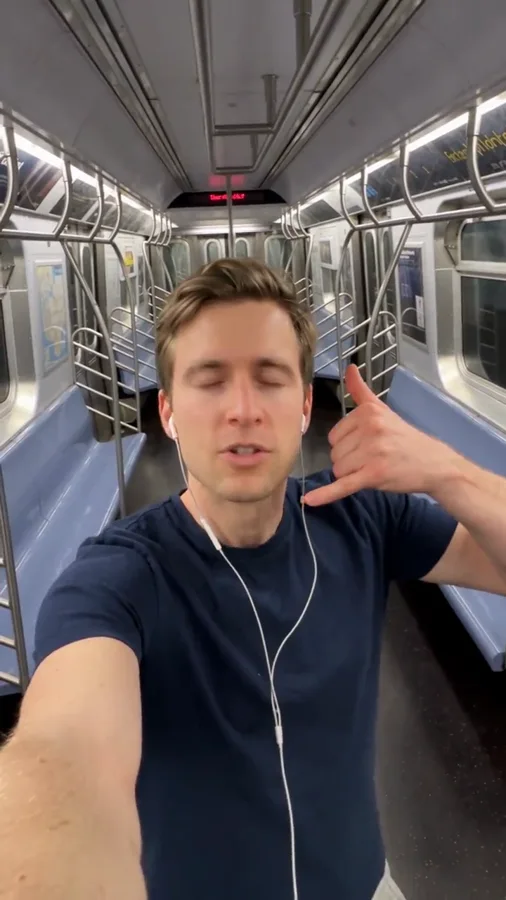
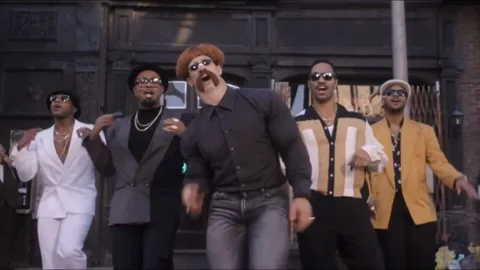
Three moments from the same public reference explain the scene. They are a reference breakdown, not three Rendastic outputs.
CAST THE BAND
Give each portrait one musical role
The joke works when the cast is immediately readable. Put the most expressive portrait in the singer slot, the surprise guest in the sax slot, and the third person at the keys. Similar lighting across the photos helps the scene directions keep the three faces distinct.
- One adult per photo.
- Use clear eyes and an unobstructed mouth.
- Keep the three roles in upload order.
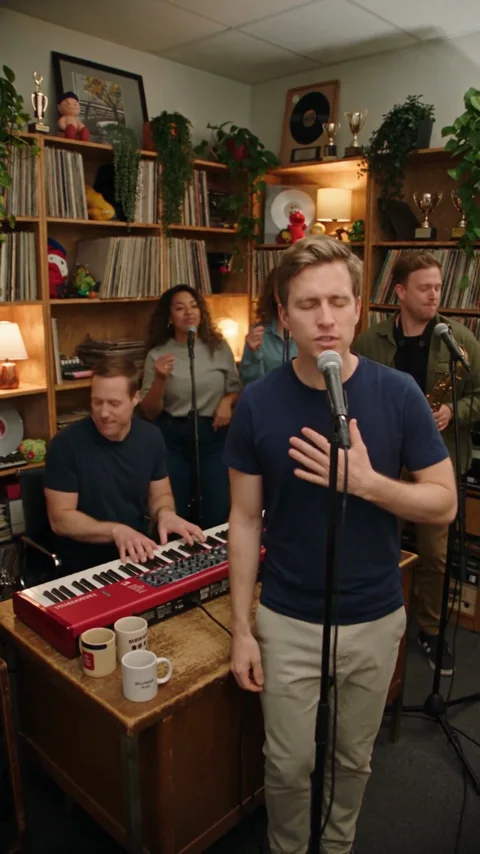
THE FRONT-PERSON MOMENT
Let the singer enjoy the high note
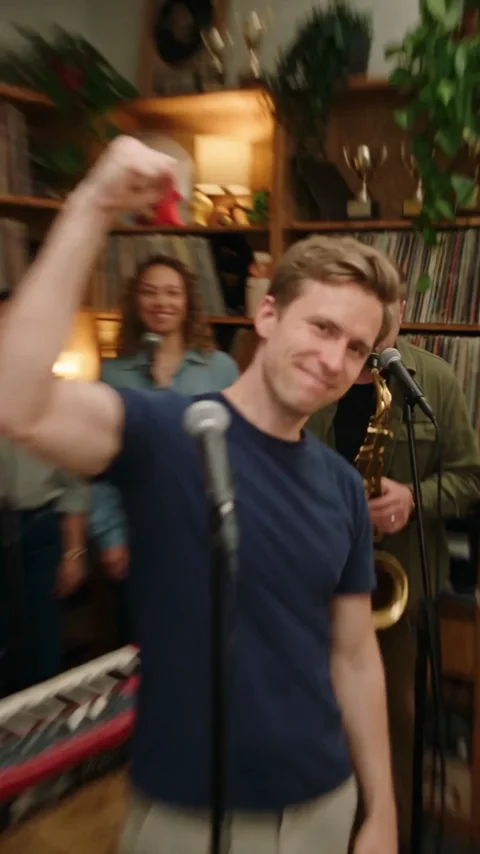
The prepared sequence gives the singer a short solo moment before the band takes over. A warm room, a desk and a compact camera move create the intimate concert setting. Keep the microphone below the eyes so it does not hide the expression.
- Describe one expression change.
- Keep the room and clothing consistent.
- Avoid crowding the desk with props.
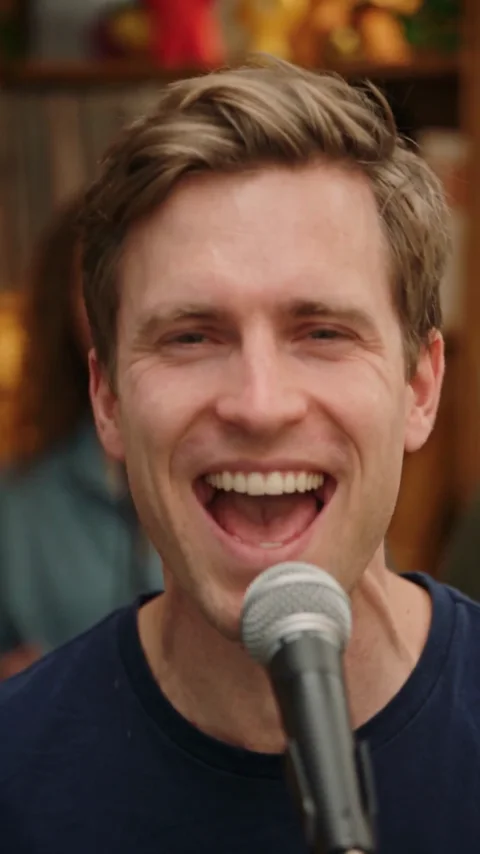
THE SAX REVEAL
Hand the scene to your unexpected guest
The singer looks across and cues the sax player. That change of attention gives you a clear reaction beat for a friend-group or office-team version. The starting export is silent; choose permitted audio in your editing or publishing app.
- Name the sax player by photo number.
- Leave a short beat for the reaction.
- Review hands and instrument shapes.
MADE TO BE CUSTOMIZED
Make the scene your own
Three named roles
Assign a different photo to vocals, saxophone and keys.
A prepared solo handoff
Direct the singer’s expression and the camera’s move toward the sax player.
An editable office set
Change the room, clothing directions and ending without rebuilding the whole prompt.
YOUR SCENE, YOUR DIRECTION
What is the Tiny Desk AI trend?
Tiny Desk AI turns the familiar small-room concert format into a casting joke: unexpected people become the singer and band around an office desk. Some versions are called the All-Loss Tiny Desk or Outstanding concert meme. This page gives your own three portraits fixed band roles and editable scene directions. It is an independent AI concert scene, with no NPR footage, official affiliation or Outstanding recording included.
A finished band photo can become a restrained rehearsal teaser without rebuilding the whole performance. Keep faces and instruments visible and request a slow camera move with image to video rather than expecting precise playing or synchronized vocals.
Customize this sceneBefore you upload
- Add three separate adult photos in the labeled roles. A chest-up portrait with a clear face works well for each band member.
- Use JPG, PNG or WebP, up to 10 MB per photo.
- Choose clear, evenly lit sources with no other faces overlapping the main subject.
- Use people who agreed to appear and review the prepared prompt before creating.
FROM PHOTO TO FINISHED TAKE
How to make your Tiny Desk AI video
Choose your cast
Add three separate adult photos in the labeled roles. A chest-up portrait with a clear face works well for each band member.
Review the prepared scene
Continue to the editor with your photos. Review the prompt and 15-second, 480p starting settings, then check the current credit quote.
Create and review
Generate when you are ready, inspect the people and movement, then download the clip. Add any permitted audio or captions in your own editor.
FIND YOUR WAY TO THE MEME
Tiny Desk: Rendastic and MakeViral
Compare the starting workflows on these named pages before choosing how to make your clip.
Swipe or scroll sideways to compare all tools
| Your decision | RendasticTiny Desk editable photo presetThis template | MakeViralTiny Desk public page |
|---|---|---|
| Cast | Three fixed photo roles: singer, sax and keys | The page offers one-photo You, two-photo Duo and three-photo Band |
| Direction | Editable scene and solo-handoff prompt | Published preset runs with no prompt required |
| Starting audio | Silent; add permitted audio separately | Page describes 10 seconds with generated original sound |
Reviewed October 27, 2026. This compares public workflow descriptions, not tested output quality or speed. Credit units differ between platforms.
Sources checked : MakeViral Tiny Desk page
Choose Rendastic when you want to review and edit the cast, scene directions and actual quote before generating.
Make my Tiny Desk bandABOUT THIS CREATION
What this workflow creates
Make the scene yours. Use photos you have permission to process and share the result responsibly.
- The preset creates a new scene from your uploaded photos and editable text. Display references are never submitted as generation footage.
- Identity, hands and group coordination can vary. The reference is not evidence that this native preset reproduces its exact movement, editing or output quality.
- No commercial song or original dialogue recording is supplied. This is an independent themed tool, with no artist or platform endorsement.
BEFORE YOU UPLOAD
Your photos and the creation process
What happens to uploaded photos?
Your photo is processed to guide the requested creation. Local source files are removed after processing or within one hour. Generation-provider reference links can remain publicly accessible for up to 30 days; local deletion does not remove that provider copy.
Keep control of what you submit
Use images you have permission to process. Read the Privacy Policy for processor, retention and deletion details before uploading material that should remain confidential.
PAY ONCE. MAKE IT YOURS.
Choose your one-time pack
Pick how many videos you want to make. No subscription. No automatic renewal.
At this template’s starting settings: 15s · 480p · 350 credits per video.
START HERE
Credits for
4 videos
$22.99one-time
1600 credits included
- No subscription or automatic renewal
- Credits valid for 12 months
- Use remaining credits on other creations
ONE-TIME PACK
Credits for
6 videos
$29.99one-time
2150 credits included
- No subscription or automatic renewal
- Credits valid for 12 months
- Use remaining credits on other creations
ONE-TIME PACK
Credits for
12 videos
$59.99one-time
4350 credits included
- No subscription or automatic renewal
- Credits valid for 12 months
- Use remaining credits on other creations
Need more? See larger one-time packs
ONE-TIME PACK
Credits for
20 videos
$99.00one-time
7300 credits included
- No subscription or automatic renewal
- Credits valid for 12 months
- Use remaining credits on other creations
Counts use this template’s starting settings and pack credits only. Changing the model or settings changes how many you can make. Review the quote before generating. Any daily free creations are extra.
Create regularly?
Explore subscription plansPrices in USD; applicable taxes appear before payment. See credit pack terms and the Terms of Service. Choosing a pack does not start a generation.
A FEW THINGS WORTH KNOWING
Tiny Desk questions
How many photos do I need for Tiny Desk AI?
This band preset takes three separate adult photos: singer first, sax player second and keyboard player third. Use your own photos or people who agreed to take part.
Is this the Outstanding or All-Loss Tiny Desk meme?
It follows the same office-band casting idea. Your scene uses your chosen people and new directions; it does not include the original sports edit or the Outstanding recording.
Can I choose which friend plays the saxophone?
Yes. Put that person in photo slot 2. The prepared directions hand the solo from the singer to that person.
Does it include the song or accurate singing lip sync?
No. The preset creates silent performance visuals. Add audio you have permission to use afterward; the gestures are not synchronized to a supplied song.
Can I make an office-team or family band?
Yes, using three consenting adults. Keep one person in each photo and edit the setting to suit the group.
What makes a useful singer photo?
Choose a sharp chest-up portrait with the mouth, eyes and hair visible. Avoid a microphone, hand or sunglasses covering the face.
What settings and one-time price does this use?
The preset starts at 15 seconds, 480p and 9:16 with Seedance 2.0 Mini. It uses paid credits: 350 Rendastic credits · 15s / 480p. One-time packs start at $4.99 for 350 credits, valid for 12 months. Cards count whole videos at these settings; changes require a new quote.
What happens to my uploaded photos?
Local source files are removed after processing or within one hour. Generation-provider reference links may remain publicly accessible for up to 30 days. Read the Privacy Policy for processor and deletion details before uploading confidential material.
MAKE YOUR NEXT TAKE
Make my Tiny Desk band
Choose your photos and prepare your own version in the editor.
Use Tiny Desk template View one-time packs