Create a video from a written scene or a photo, then download the delivered result without an added Rendastic watermark. Review the selected model, output settings and any credit cost before generating. Eligible free presets are subject to the shared daily allowance and available capacity.
Video
Prompt
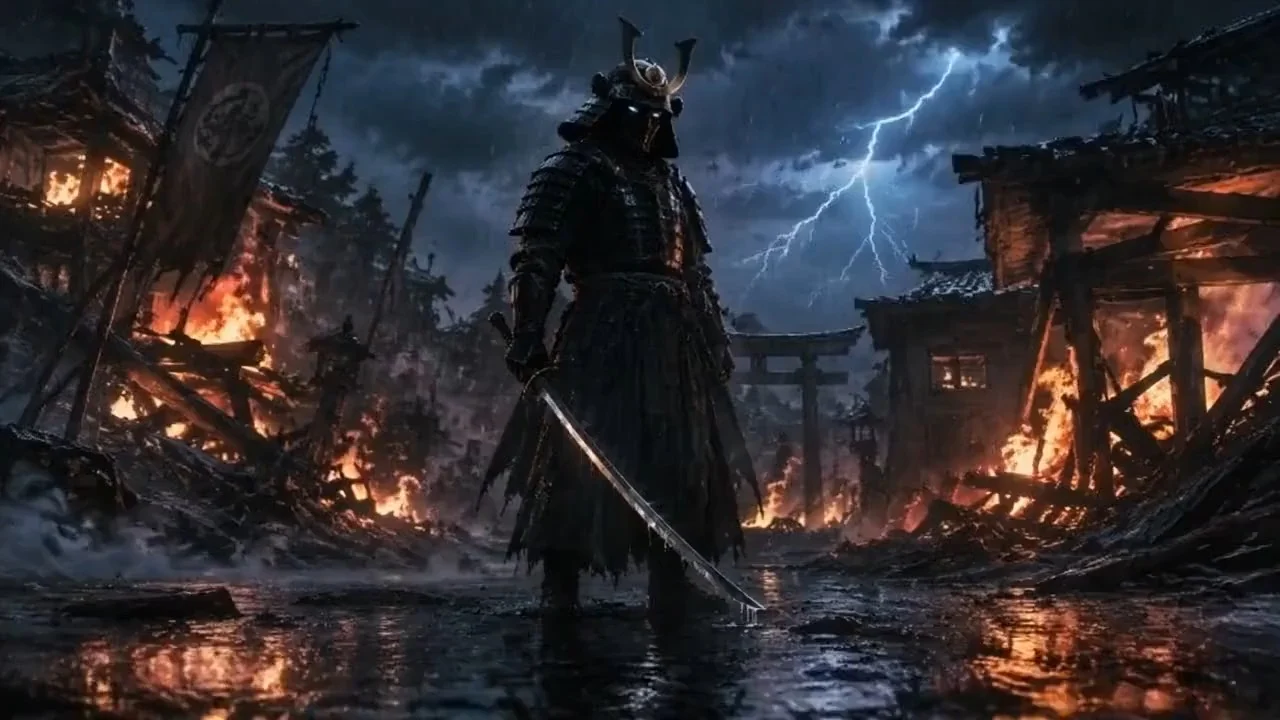
A warrior in dark armor in a rainy village. A slow camera push-in, flashes of lightning, and drifting smoke.
Illustrative template sample · Results vary by model
Downloads: 7 days after completion · Recent history: 7 days
Try a prompt
How to Create an AI Video Without a Watermark
Choose text or photo input
Describe a scene for text-to-video, or upload an authorized photo and describe the movement.
Review the settings and generate
Check the selected model, duration, resolution and whether a free attempt or credit quote applies. Inspect the returned movement and visual details before publishing.
Download the delivered video
Save the delivered video from your result while the download is available. Rendastic does not add its own logo overlay during delivery.
Rendastic does not add its own watermark to the delivered video. This describes how the service delivers your result; it does not remove a watermark, logo or other mark from material you upload. Visual marks already present in your source can remain in, or be changed by, a generated result.
A clean download does not prove ownership of every person, design, brand or other element shown in the video. Use authorized inputs, review the selected model provider’s terms, and inspect the result before posting it publicly.
Start With Text or Animate a Photo
Text to Video
Describe one scene, one main action and any camera movement you want. For example: “A red bicycle rests beside a quiet seaside café as the camera slowly moves closer.” Choose a coherent shot that fits the selected clip length. Review the real model settings and cost before submission.
Start with a clear photo and describe what should move. A product photo might need a small camera push, while a portrait might need a restrained expression. Read the image-to-video guide for photo preparation and practical motion prompts.
Eligible free generation is subject to one shared daily free creation per recognized identity across image, video and audio tools, as well as service capacity and other eligibility rules. Other models and settings use their displayed credit quote.
Technical failures return the applicable reservation under the existing rules. Keep the existing job when supplier confirmation is pending rather than starting another request.
Eligible free video settings
Model
Length
Resolution
Rendastic 1.0
4 seconds
480p
Longer original videos are delivered in full. Audio is not guaranteed.
One daily free creation is shared across image, video and audio, subject to eligibility and available capacity. Other models and settings use their displayed credit cost.
Free capacity is released hourly. Unused capacity carries forward within the UTC day, subject to availability.
Completed files are available through your browser’s signed session for the normal 7-day download window. Save the delivered video while it is available. A paid plan does not automatically extend this file window, and closing the page does not cancel an already accepted supplier request.
If a download does not open, check the job’s status, your connection and the download deadline. A missing preview is not proof that generation never started.
Check the result for altered faces, text, product details and unexpected movement. Follow the posting platform’s requirements for labeling realistic AI-generated media. Content checks and supplier policies still apply to watermark-free outputs.
Do not upload confidential or sensitive photos. Local upload handling and supplier storage are separate. Commercial use remains subject to input rights, applicable law and the selected model provider’s terms.
Can I generate an AI video without a watermark for free?
An eligible free preset can produce a delivered video without an added Rendastic watermark when your free allowance and service capacity are available. Other models or settings use their displayed credit cost. Free use has daily and shared-capacity limits.
Do I need to sign up before creating a video?
No account is required to prepare a creation or use an eligible available free attempt in the current browser. Optional sign-in connects recent work to an account; it does not grant another daily free creation.
Does paying remove a Rendastic watermark?
Rendastic does not add its own watermark to the delivered result from either an eligible free request or a paid request. Paid generation uses the selected model’s supported settings and displayed quote; it is not a charge to remove a Rendastic overlay.
Can this tool remove a watermark from an existing video?
This page is for generating new videos from text or photos. It is not an existing-video watermark removal tool, and it does not promise to erase marks or third-party branding from source material.
Are watermark-free downloads automatically licensed for every use?
You still need the relevant rights in your inputs and must follow applicable law, the selected model provider’s terms and your publishing platform’s rules. Review the output before using it commercially.
Does watermark-free mean unlimited free generation?
One eligible daily free creation is shared across media tools, subject to service capacity and eligibility. Additional creations use available paid settings and their displayed cost. This page does not advertise an unlimited subscription entitlement.
How long can I download my completed video?
The normal output download window is 7 days after completion. Save the video while its result is available. Read the actual job state if generation or supplier confirmation is still pending.
Will a clean download preserve every detail in my prompt or photo?
A watermark-free download describes delivery, not a guarantee of visual accuracy. Faces, lettering, products and motion can change during generation. Inspect the result before publishing and use a simpler request when you need a more focused shot.